Build an Intel 486 PC emulator in a browser
Building the Past in the Browser: The Revolutionary e486-web
What if you could boot a classic PC system directly in your web browser? Developer Jan de Jager has achieved this, creating e486-web, an ambitious project that brings the magic of 1980s retro computing into the modern era. This isn’t just an emulator; it’s a modular, dependency-free PC system built entirely from scratch using 100% pure JavaScript. It turns the complex world of retro hardware into an interactive, browser-based experience.
The vision behind e486-web was to achieve compatibility with systems like Linux and classic games such as Doom. But far exceeding those initial goals, de Jager’s project is a triumph of software engineering, demonstrating how deeply complex retro systems can be distilled into elegant, functional code. The project itself has garnered recognition, with contributions from notable figures like Claude.
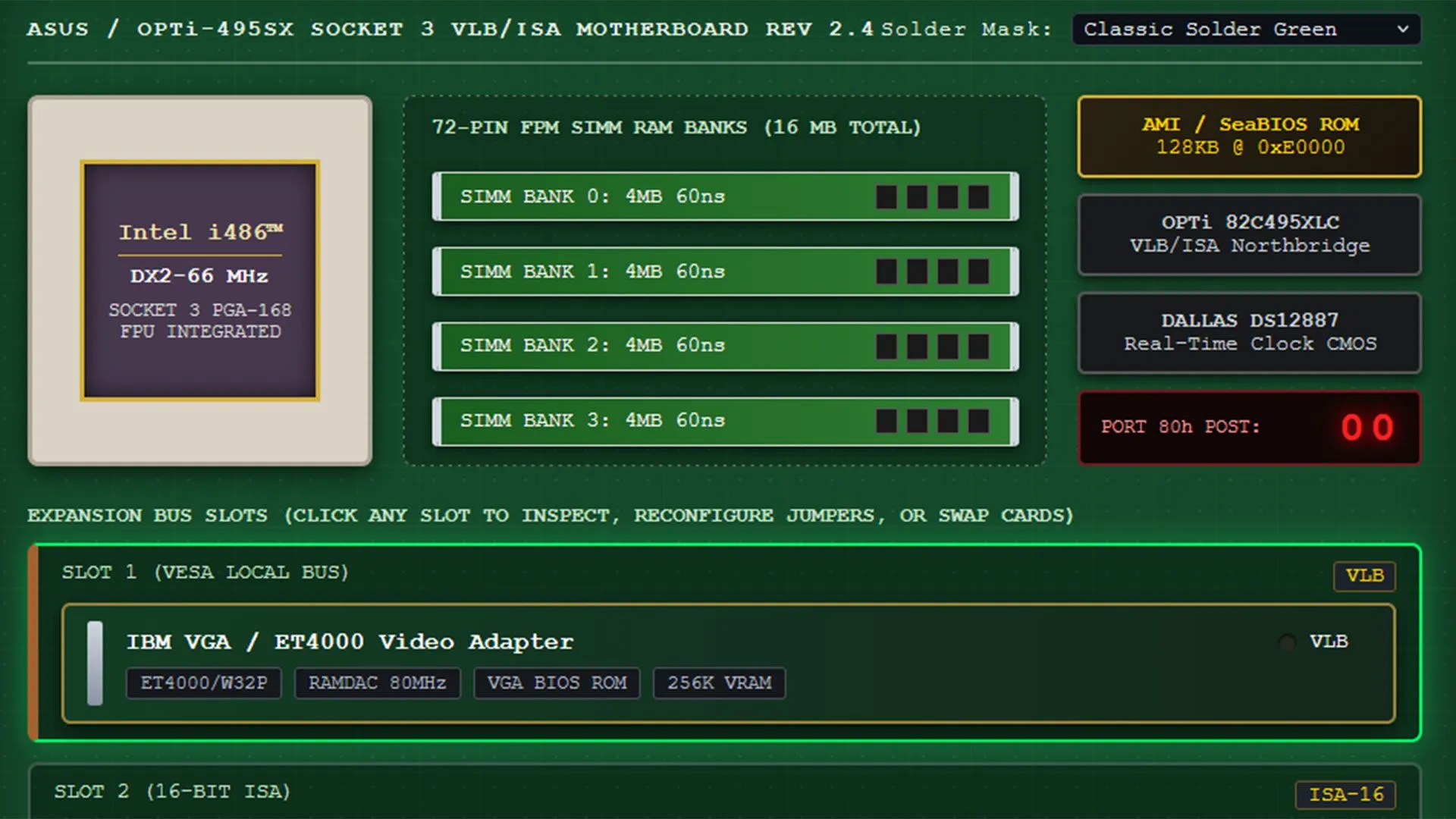
The live demonstration of the emulator is immediately captivating. Users can launch a fully configured Intel 80486DX2-66 PC right from a single click, offering deep control over every component. The interface is organized into intuitive tabs that allow users to tinker with the system’s configuration, making the process of retro-PC assembly surprisingly approachable.
One of the most engaging parts of the experience is the simulation of the classic setup. Users can engage with a custom CRT monitor interface, complete with options for different display styles and even tributes to classic phosphor screens. This is where the real retro immersion begins, allowing users to interact with the system using traditional DOS commands and run applications directly on the simulated hardware.
Beyond the visual experience, the system emulator offers serious hardware flexibility. Users can customize the entire machine, selecting different motherboard designs and managing expansion cards. The default setup includes classic components like the Sound Blaster 16 ISA card and multi-I/O controllers, all of which are fully configurable. A separate Custom Card Studio tab allows for even more advanced hardware experimentation.
Storage management is handled through a dedicated Storage Bay, where users can switch between various operating systems and software disks. The emulator supports caching for various media, including floppy images and custom uploaded .img/.iso files, ensuring that the user has all the necessary assets to run games and explore software.
For those interested in deep system exploration, the System & Diagnostics section provides access to the core hardware registers. Here, users can switch CPU models, examine RAM, VRAM, BIOS, and boot sectors, offering a transparent view into the intricate mechanics of the simulated machine.
Currently in version 0.1, e486-web is a live project in active development. The live demo and the comprehensive tabbed interface show tremendous promise for a truly accessible and immersive way to interact with the history of personal computing. As de Jager and collaborators continue to refine the project, the potential for bringing the era of retro computing into the mainstream is undeniable.
Buy on Amazon
Credit
