DLSS Swapper updates all upscalers in multiple games and adds FG C
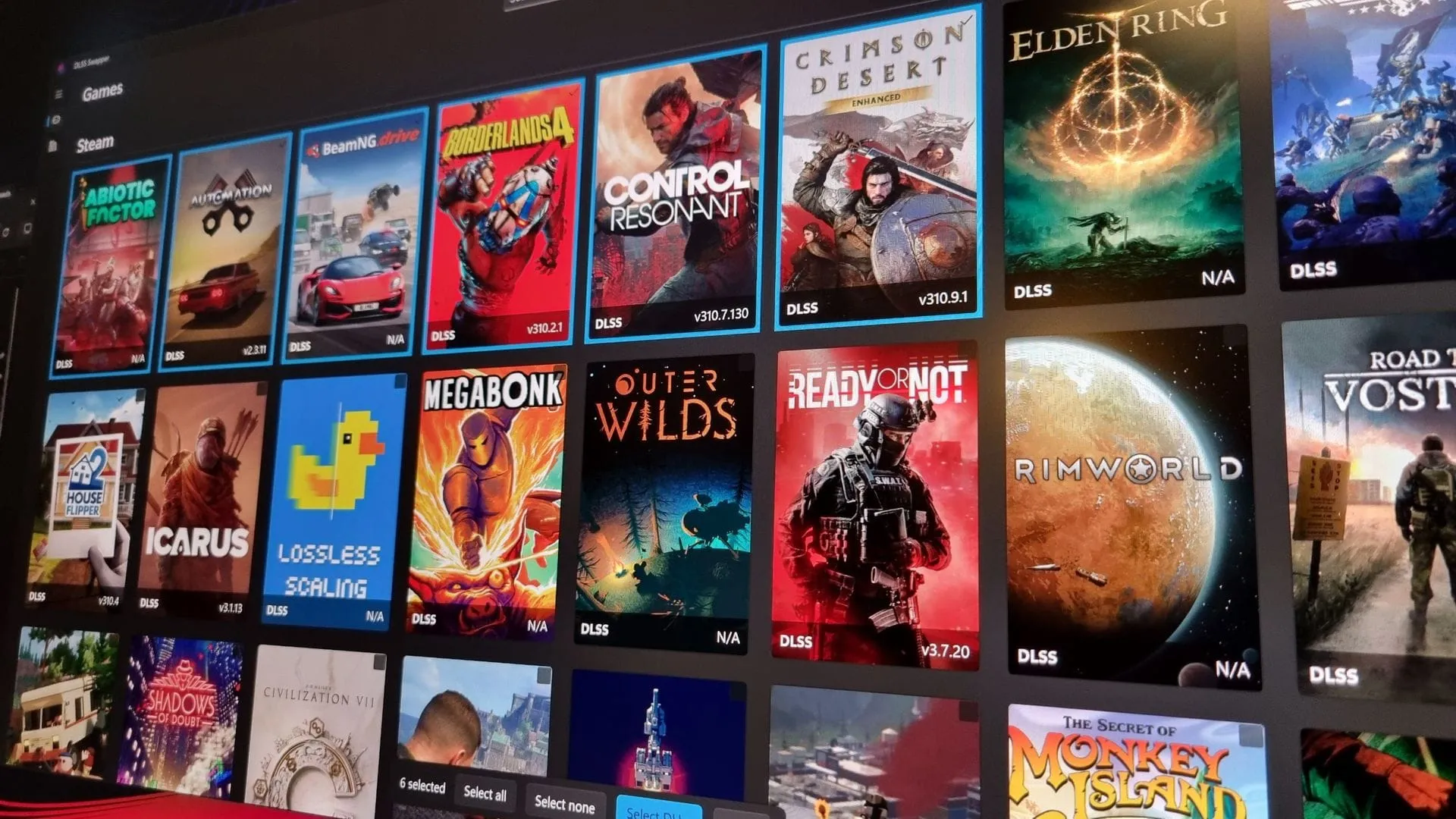
The quest for optimal performance and visual fidelity in modern gaming has just gotten significantly easier, thanks to a powerful update from the DLSS Swapper tool. The latest release brings a highly anticipated feature: a bulk swapping functionality that transforms how users manage their upscaling settings across entire libraries of games.
Version 1.2.7.0 of DLSS Swapper introduces a new Bulk Swap button located in the top right-hand menu. This feature eliminates the tedious, game-by-game process, allowing users to select multiple games or even their entire game libraries simultaneously. Once selected, users can apply their preferred upscaling version settings in a single, streamlined menu. This fundamentally changes the workflow for anyone juggling various upscalers like DLSS, FSR, and XeSS.
This update is designed to give power users granular control without demanding excessive time. It allows you to manage your visual preferences efficiently, ensuring consistency and control over the rendering pipeline across a wide array of titles.
Beyond the convenience of bulk management, the update also introduces exciting new performance options. Users now have access to the DLSS Frame Generation Preset C, a new beta setting that promises a significant performance boost in exchange for a minor trade-off in visual quality. This setting is expected to deliver up to 35% performance gains on cards like the RTX 5060, pushing frame rates higher for smoother gameplay.
For those who have experimented with different upscaler versions, finding ways to quickly revert changes is crucial. The new bulk feature provides a valuable safety net, allowing users to restore their games to their original DLLs and preset settings en masse if any visual changes cause unexpected issues.
While the advancements are impressive, a small note of caution is necessary. The DLSS Swapper tool highlights that modifying game files, even for cosmetic settings, can potentially trigger flags from some anti-cheat software. Therefore, users are advised to exercise caution and avoid extensive file modifications if playing games that rely on online components, ensuring a smooth experience.
Buy on Amazon
Credit
