Dynamic Island for Windows just got a big update
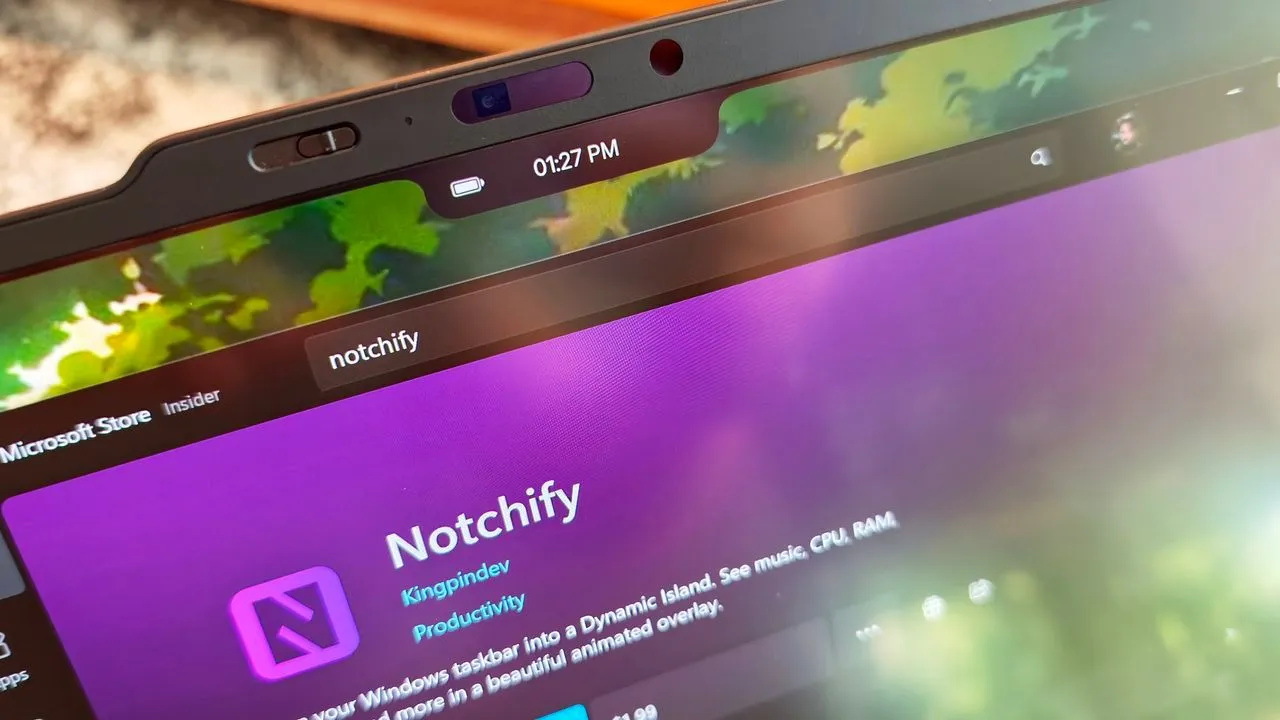
The quest for the perfect software experience often leads us down unexpected paths. In the ongoing rivalry between Windows and macOS, users are constantly seeking those little design flourishes that define a platform—features that bridge the gap between functionality and aesthetic appeal. Recently, this pursuit has brought the highly anticipated cross-platform concept of the Dynamic Island to Windows 11 via a dedicated application called Notchify.
While many debate the merits of a physical notch on a screen, the Dynamic Island itself has proven to be a genuinely useful innovation. It serves as a centralized hub for notifications, quick actions, and essential information, saving users from endless scanning of the taskbar and system corners. Notchify aims to bring this highly functional experience to the Windows environment, proving that some elements across operating systems are worth envying.
The latest update to Notchify isn’t just a minor tweak; it represents a significant leap forward, transforming the application into a robust, feature-packed personal dashboard. Developers have focused heavily on performance, addressing common frustrations while introducing powerful new utilities that make the virtual island truly indispensable.
Under the hood, the changes deliver a noticeably smoother experience. Developers implemented optional GPU rendering for animations, resulting in much smoother visual effects. Furthermore, the app has seen a large reduction in idle CPU and memory usage, and system-wide keyboard lag has been effectively fixed, ensuring that the interface remains snappy and responsive, even when you are in the middle of a high-performance session.
But the real magic lies in the added functionality for managing workflow. Notchify now includes a built-in Clipboard history, allowing users to pin, delete, or clear items, alongside easy drag-and-drop file tray support. This means quickly moving content to applications like Discord, Paint, or Explorer is now seamless, eliminating the need for constant copy-pasting.
Notifications have also been overhauled, adopting a more intuitive system. Users now get an in-app panel with simple swipe-to-dismiss options and the ability to click a notification to jump directly to the corresponding application. The notification stacking mimics the real Dynamic Island experience, offering a much cleaner view of incoming information.
Beyond the core features, the new update introduces a suite of genuinely useful widgets and system actions. Users can now manage tasks and notes with a proper calendar date picker, access Quick System Actions (like lock, sleep, and screenshot) right from the island, and manage app shortcuts, folders, and links directly. This integration turns the small space into a powerful command center.
The application also enhanced its connection capabilities, featuring a connected device card for Bluetooth devices and a dedicated media player with scrubbing and a visualizer. Quality of life improvements, such as an optional hover feature that makes the island appear even in fullscreen, further refine the user experience, all while supporting ten languages and fixes for multi-monitor setups.
While the practical benefits are undeniable—offering a centralized hub that quietly improves workflow—it is important to note that Notchify remains a third-party application. Unlike the native macOS Dynamic Island, it does not seamlessly integrate with the operating system to wrap around content, meaning there can still be instances where the island might be partially covered by other elements.
At just $1.99, and with a free trial available, Notchify offers a compelling, high-quality alternative. For Windows users looking to enhance their productivity with a sleek, centralized information hub, this is a feature worth exploring.
Buy on Amazon
Credit
