Expand your Mac Mini with docks for more ports and storage
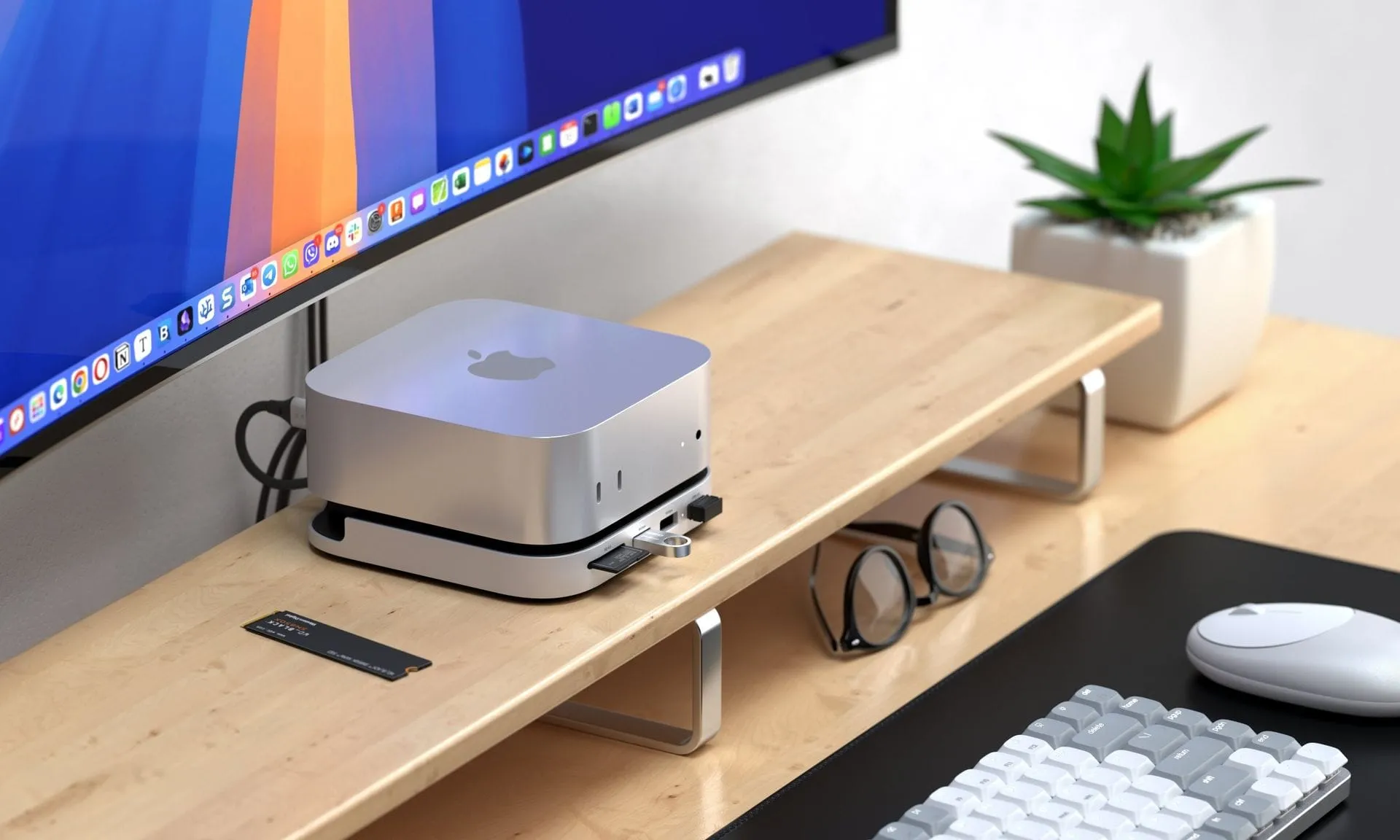
When you invest in an Apple Mac Mini, you’re looking for a streamlined powerhouse. But as new generations, like the M4 or M6 Pro, emerge, a persistent question arises: how do you expand the limits of a device that is fundamentally designed to be compact? The answer often lies not in internal upgrades, but in smart external accessories.
Despite the Mac Mini’s elegant design, users quickly find themselves wanting more. The physical constraints of the Mini, particularly concerning storage and legacy connectivity, present a unique puzzle. While the Mac Mini offers a respectable five USB-C ports, it lacks the legacy USB-A ports or the convenient SD card slot found on larger systems like the Mac Studio, creating a bottleneck for demanding workflows.
The biggest hurdle, however, is storage. With the newer Apple Silicon chips, storage is increasingly soldered directly onto the board. For some models, this means users must rely entirely on external storage solutions. This necessity shifts the focus to external connectivity—ports and storage expansion become the prime areas for enhancement.
This is where the world of specialized docks and enclosures steps in, turning limitations into opportunities. These accessories are specifically engineered to bolt extra functionality onto the Mac Mini chassis, offering expanded port access and, crucially, the ability to house high-capacity NVMe Solid State Drives (SSDs).
For those seeking maximum flexibility, various brands offer innovative solutions. Some popular options, such as the Satechi dock, provide front-facing USB-A ports and an SD card slot, alongside an SSD enclosure, all designed to fit the Mac Mini footprint. Other options, like those from UGREEN and Acasis, push the boundaries further, offering multi-bay solutions capable of accommodating up to two NVMe SSDs for substantial storage, even if the data transfer speeds are optimized for backup and scheduled tasks rather than blazing-fast throughput.
While some users have noted concerns about placing these hubs underneath a Mini potentially blocking Wi-Fi signals, the trade-off for expanded functionality is often worth the consideration. The key takeaway for tech enthusiasts is that you don’t need a bespoke solution. By opting for a standard, rectangular USB-C or Thunderbolt dock, users can achieve the same performance benefits without compromising on the classic aesthetic.
For those who want a more traditional, adaptable setup, systems like the Revodok docking station offer a compelling alternative. These solutions, designed to pair with any mini PC or laptop, prove that creativity in peripheral design can easily overcome hardware limitations, ensuring that the Mac Mini remains a versatile and powerful workspace, no matter how you choose to connect it.
Buy on Amazon
Credit
