Fix your Windows 11 clipboard with Snipboard
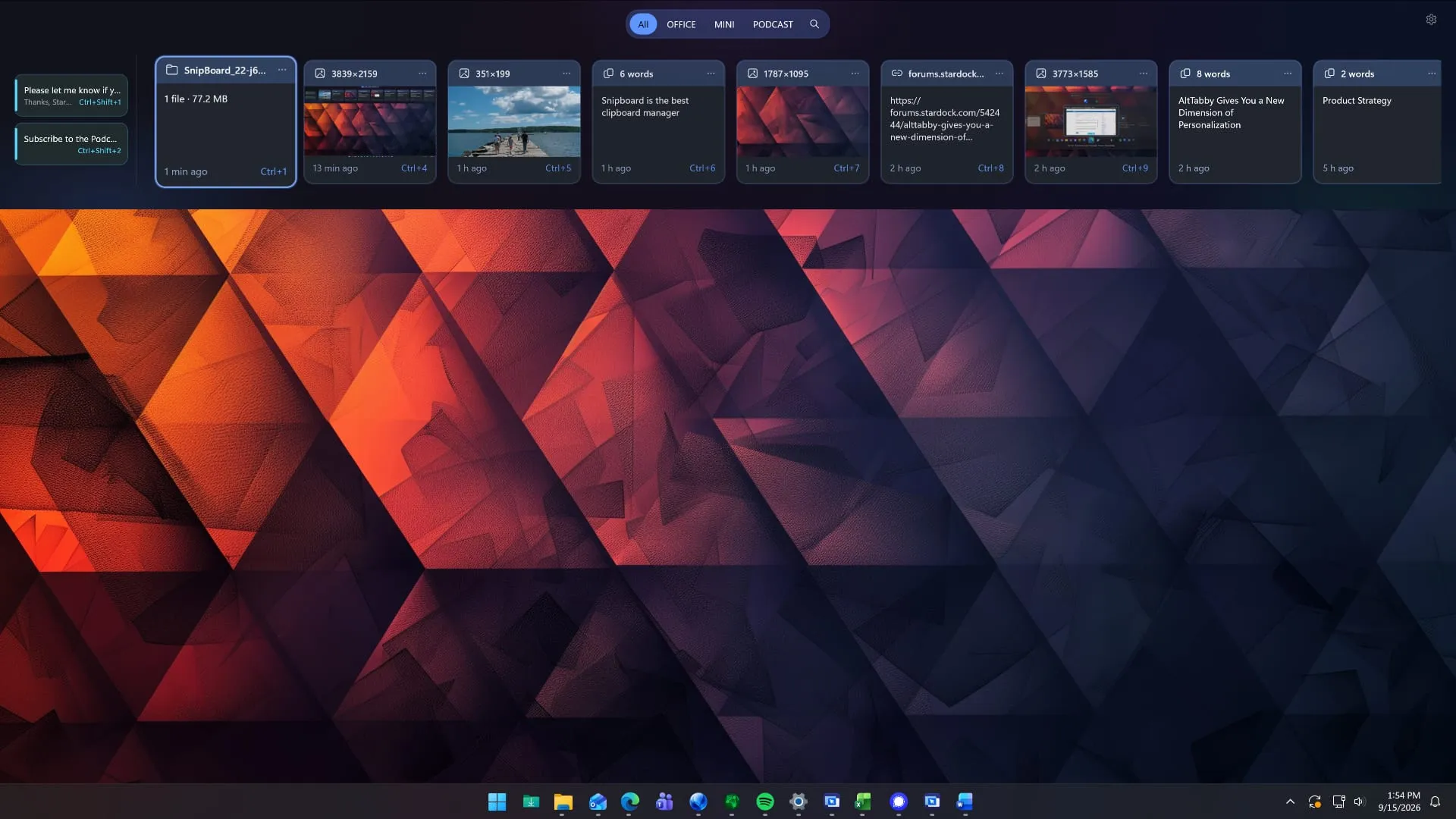
Tired of the endless mental gymnastics required to manage your copied content? In the world of Windows 11, the clipboard often feels like a chaotic, ephemeral dumping ground. Enter Snipboard, a fresh utility from Stardock that promises to transform this essential but frustrating feature into a smart, cross-device productivity hub.
Snipboard isn’t just another clipboard manager; it’s an interactive clipboard dock designed to live directly on your screen. Imagine pinning your most frequently used items, creating a searchable history, and managing your content with a single glance, all while seamlessly moving text and files across multiple computers. This innovation aims to solve the fragmentation problem that plagues modern multitasking.
The power of Snipboard extends far beyond simple copying. It allows users to pin and organize content right where they can see it, giving users unprecedented control over their content flow. Advanced options allow users to fine-tune their experience by accessing extra pasting choices, such as options to enforce UPPERCASE or Keep formatting upon pasting, ensuring that the quality of copied content is maintained across applications.
For users managing sensitive information or needing temporary privacy, Snipboard offers additional layers of security. It includes a Temporary mode, which effectively stops any content from being transmitted to other devices, offering peace of mind when handling sensitive data.
This suite of tools is integrated into Object Desktop, a larger productivity suite by Stardock that includes other useful applications like Groupy for tab management and Start11 for customizing the Start menu. This holistic approach positions Snipboard as part of a larger ecosystem dedicated to optimizing the user’s operating environment.
While the concept of a screen-based clipboard utility is not new—with earlier tools like Edge Drop existing—Snipboard brings a distinct level of robustness and cross-platform functionality. Where some tools focus on simple capture, Snipboard focuses on intelligent organization and sophisticated management. Although some utilities excel at simple drag and drop, Snipboard’s focus remains on deep history searching and powerful content control.
With the latest updates, Snipboard is set to redefine how we interact with copied information on Windows 11, offering a streamlined, powerful solution for anyone who demands more control over their digital workspace.
Buy on Amazon
Credit
