Googlebooks from Dell, Lenovo, HP tested: Great hardware but OS is unfinished
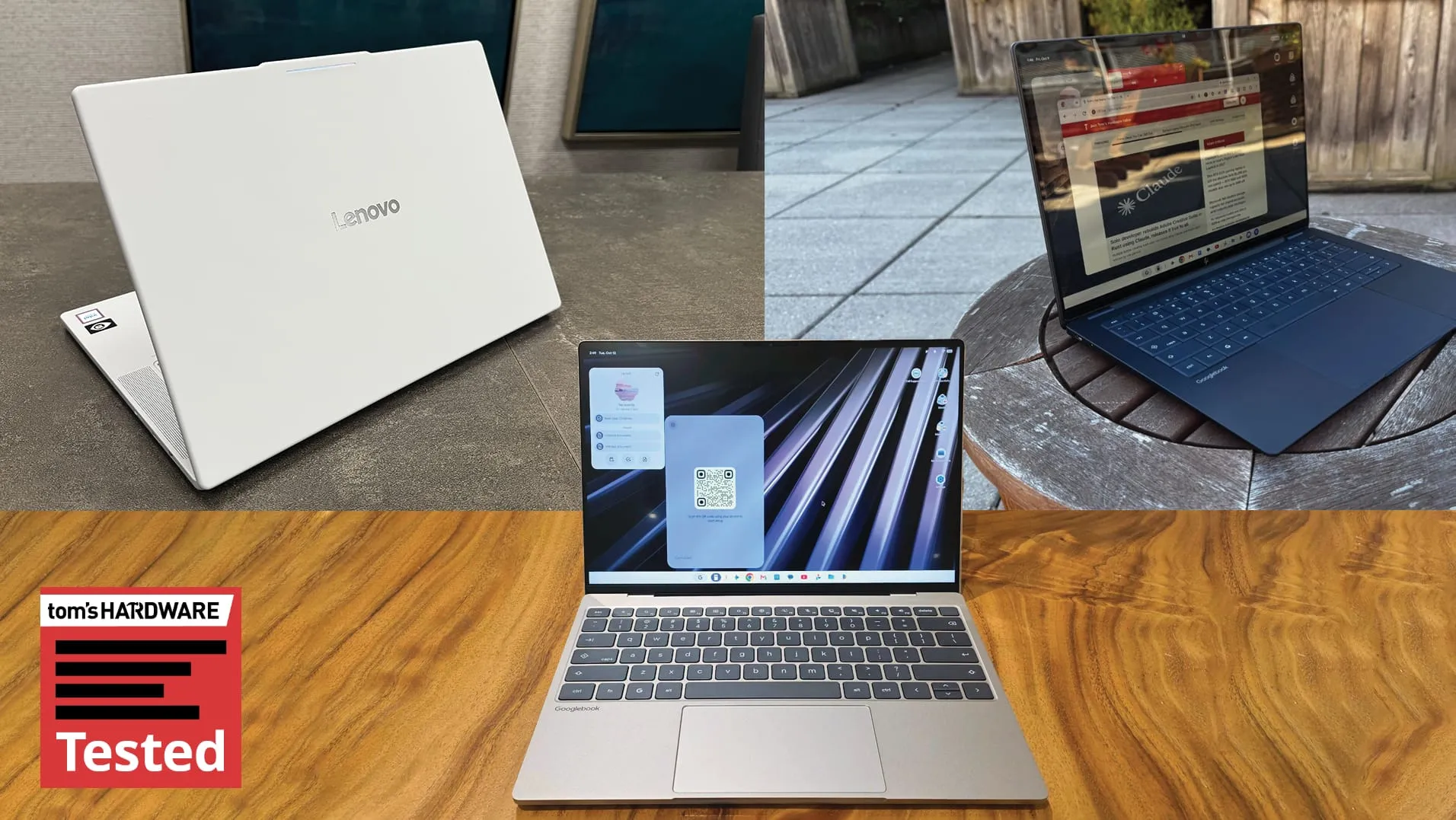
For years, Chromebooks have been relegated to the realm of educational tools, often dismissed as glorified web browsers. But Google is shaking up the laptop world with the introduction of the Googlebook line, pushing a radical vision where a laptop feels less like a machine and more like a fully realized PC. This shift is powered by the new Googlebook OS, designed to achieve a seamless convergence of the Android mobile experience and desktop functionality—a fusion Google hopes will set a new standard.
The ambition behind Googlebook OS is clear: to merge your Android phone and laptop in a way that rivals the smooth integration found in Apple’s macOS and iOS. This holistic approach is layered with cutting-edge AI features, offering new ways to interact with technology. While the hardware partners—including Dell, Lenovo, HP, Acer, and Asus—provide a diverse range of options, the true revolution lies in how the software attempts to unify them.
Physically, the Googlebooks present a compelling design. We tested models like the Lenovo Googlebook 15, HP Googlebook 14, and Dell’s XPS Googlebook, noting that they share striking design elements. Despite variations in materials, the devices boast beautiful screens, including high-resolution OLED panels, and light, airy chassis. A unifying visual signature is the Glowbar, which acts as a unique identifier, providing ambient light and indicating battery status through dynamic colors. While this feature is undeniably cool, customization remains limited, though a hidden app called Glowbar Disco allows for some fun, custom effects.
The physical experience is further standardized by a shared keyboard layout, featuring a dedicated G key for launching apps and a Caps Lock key that doubles as the Quick Insert function. This throwback design feels reminiscent of older Android phones, offering familiar shortcuts while maintaining modern functionality.
However, where the hardware shines, the operating system is still finding its footing. While the OS largely mimics Android, striving to fit a desktop experience, it still feels fundamentally limited. Features designed for touch screens, such as the desktop layout and the Files application, often feel awkward when used with a mouse and keyboard. The system lacks necessary desktop functionality, such as easily moving window context menus or robust file organization tools that simply don’t exist in the current setup.
One of the most frustrating gaps lies in application management. The Play Store, while offering access to apps, imposes a strict structure. Google provides vague “desktop ratings”—like —which don’t always reflect real-world performance. While compatibility with desktop software exists, users often encounter friction, especially with mobile-first applications. For some apps, the focus remains decidedly mobile, leaving users wishing for true desktop-level optimization.
The performance landscape is a fascinating mix of silicon. Some models leverage Qualcomm’s high-end Snapdragon X Elite chips, while others rely on Intel’s Core processors. Benchmarks suggest the Snapdragon-based systems have an edge in multi-core performance, though the performance battle is close. Battery life proved to be inconsistent across the board, with the Intel-based Lenovo model achieving a lead in endurance testing.
The most impressive software feature is the deep integration of AI, centered around Gemini. Features like the Magic Cursor allow for quick interaction, and tools like Rambler enable powerful dictation capabilities directly on the system. Yet, there remains a critical need for developers to truly optimize applications for this new blended environment. Many essential desktop applications and productivity tools are simply not yet adapted to the large screen, meaning the Googlebook experience still feels tethered to the mobile paradigm.
Ultimately, the Googlebook is an exciting experiment. The hardware is strong, the design is elegant, and the potential for cross-device use is there. But to realize the promise of a full-fledged PC operating system, Google needs to dedicate significant time to optimizing the software, ensuring universal app compatibility, and empowering developers to build experiences that feel truly native to the desktop. For now, the Googlebook is more of an early adopter experience—powerful, but still evolving.
Buy on Amazon
Credit
