Hands-on with 5 Googlebooks and the new Googlebook OS
Googlebooks: Where Android Meets the Future of AI Laptops
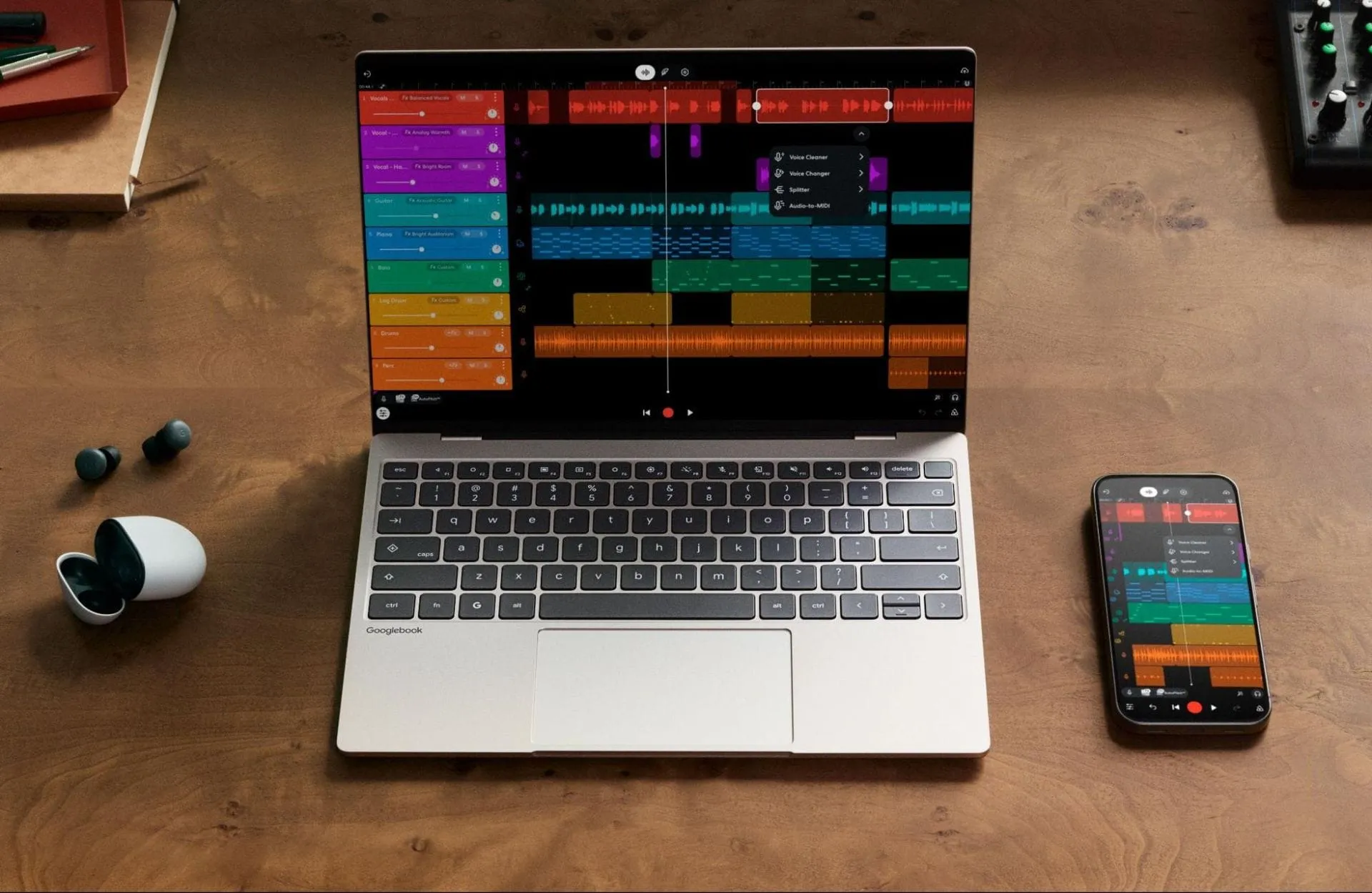
Google is shaking up the laptop market with the introduction of the Googlebook lineup—a new class of premium systems designed not just for productivity, but for seamless integration with the Android ecosystem, powered by the cutting-edge Gemini AI.
At the heart of this new vision is the operating system. Sameer Samat, Google’s president of the Android ecosystem, emphasized that the Googlebook OS is a blend of the best elements from ChromeOS and Android, aiming to deliver a modern, unified experience. The goal is to create a desktop environment that finally achieves the tight integration that Android users have long craved, much like the continuity features found in macOS.
The hardware itself reflects this premium approach. The initial five Googlebooks are built in partnership with major manufacturers including Dell, Lenovo, HP, Asus, and Acer, utilizing powerful processors from either Intel or Qualcomm. These systems ditch plastic in favor of high-end materials like aluminum, magnesium, and carbon fiber, boasting stunning, high-resolution displays, many featuring 2880 x 1800 OLED screens. Most models also feature haptic touchpads, ensuring a tactile experience that rivals high-end competitors.
When diving into the specifications, Google sets a high bar. The laptops start at 16GB of RAM, with options stretching up to 32GB, and storage options range from 256GB up to 1TB. The lineup is diverse, offering configurations that cater to different needs, from entry-level options starting at $899 for the Acer Chromebook 14, to top-tier systems like the Dell XPS Googlebook, which starts at $1,199.
Beyond the physical design, the aesthetic details are playful. Each device features a Glowbar, a nod to earlier Google hardware, alongside RGB lights that react to startup and battery levels. The keyboards also feature a unique layout, incorporating the Caps Lock key as a “Quick Insert tool” that pulls in clipboard history and other utility features, plus a dedicated G key for launching applications.
The true magic, however, lies in the AI integration. The Googlebook OS is built around Gemini, making the AI features inseparable from the user experience. Features like the Magic Pointer allow users to interact with the cursor contextually, providing suggestions or letting them query Gemini directly from the screen. Furthermore, subtle cues, known as Magic Cues, offer recommendations—like suggesting a calendar invite when dates are visible—making the workflow feel intuitive and proactive.
This AI layer is supported by an extensive package of freebies and services. Every Googlebook ships with 12 months of Google AI Pro, which includes 5TB of cloud storage, enhanced Gemini access, and entry-level access to agent models through Antigravity. Users also receive bonuses like three months of YouTube Premium, Photoshop, and CapCut, plus a year of Gemini Spark. It’s a hefty bundle designed to immediately immerse the user in the world of generative AI.
While Google promises a decade of support for the Googlebook OS, the longevity of these systems will depend on how seamlessly this new ecosystem integrates with the broader PC world. The real question remains whether this specialized Android-focused operating system is enough to convince the mainstream that it deserves to compete head-to-head with established operating systems.
Buy on Amazon
Credit
