Microsoft drags Windows Security into Windows 11
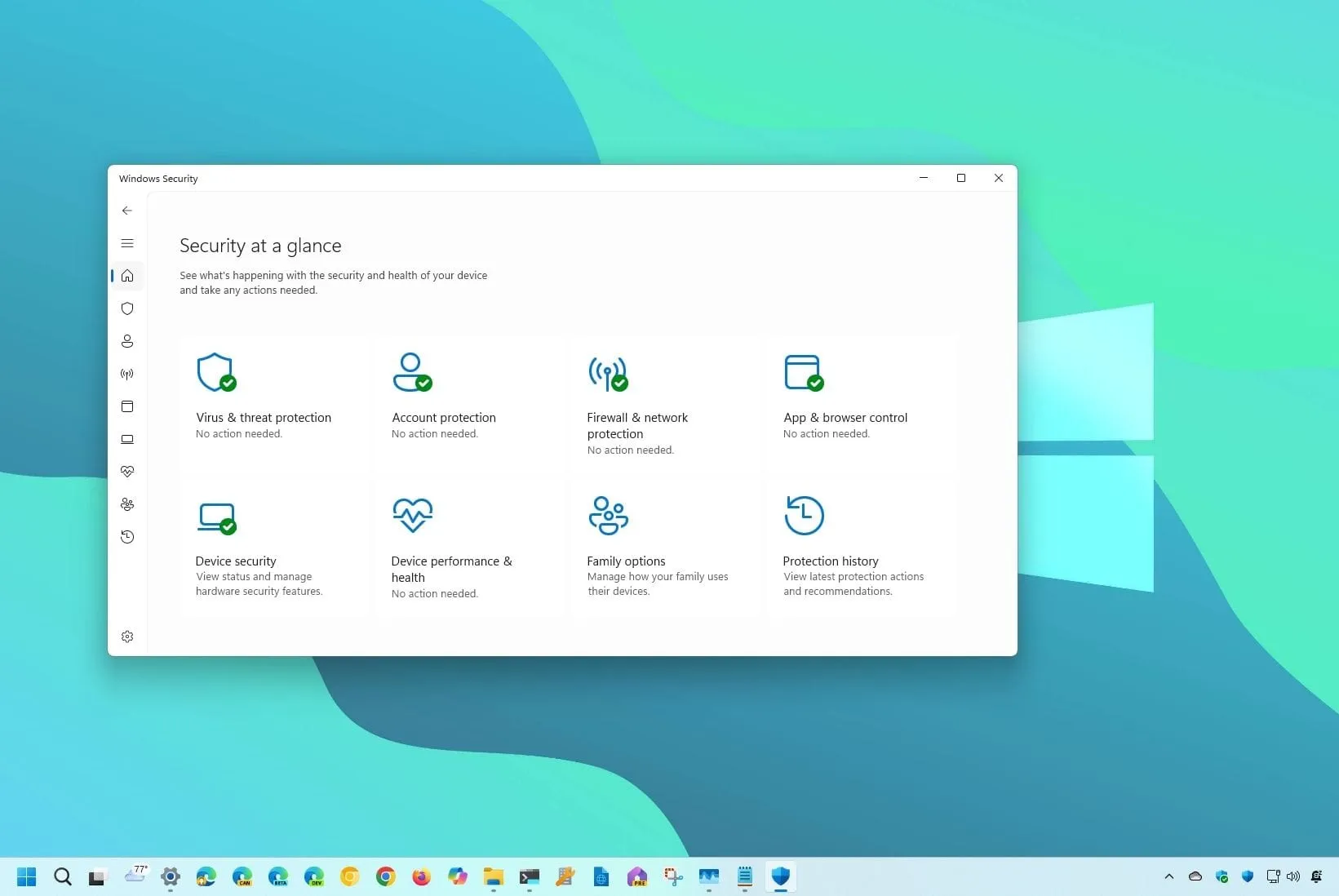
Are you tired of managing your PC’s security features through an application that feels stuck in the past? For years, the Windows Security app has been a vital tool, safeguarding your device with components like Microsoft Defender Antivirus and the Windows Firewall. However, despite its functional reliability, the interface often feels noticeably dated, lacking the cohesive, modern aesthetic of the rest of the Windows 11 operating system.
Now, Microsoft is finally addressing this. The Windows Security app is undergoing a significant redesign to fully align with the look and feel of Windows 11, promising a refresh that will bring the security experience up to date with the rest of the OS.
This isn’t just a cosmetic tweak; it’s a deep dive into user experience. The updated design focuses on making the app feel intuitive, consistent, and visually harmonious across all your devices. Microsoft’s planned updates aim to transform the app from an older application into a seamless extension of your modern operating system experience.
What exactly is changing? The enhancements focus on several key areas:
- Updated Navigation and Layouts: Expect more consistent layouts and navigation behaviors, ensuring the app flows smoothly regardless of the window size.
- Modernized Controls: Visual elements—including controls, typography, spacing, colors, and status indicators—have been refreshed to create a cohesive visual language.
- Clearer Information: The presentation of status information and available actions will be significantly improved, making it easier to understand your device’s security standing at a glance.
- Enhanced Monitoring: For supported managed devices, device security details will load progressively, offering faster access to critical information and improved experiences for monitoring performance and errors.
These improvements will ensure that essential security management remains powerful and effective while finally feeling like it belongs in Windows 11. The goal is simple: to ensure that managing your digital defenses is as effortless and modern as using the Settings app.
Credit
