Microsoft fixes Windows 11 Bing speed test
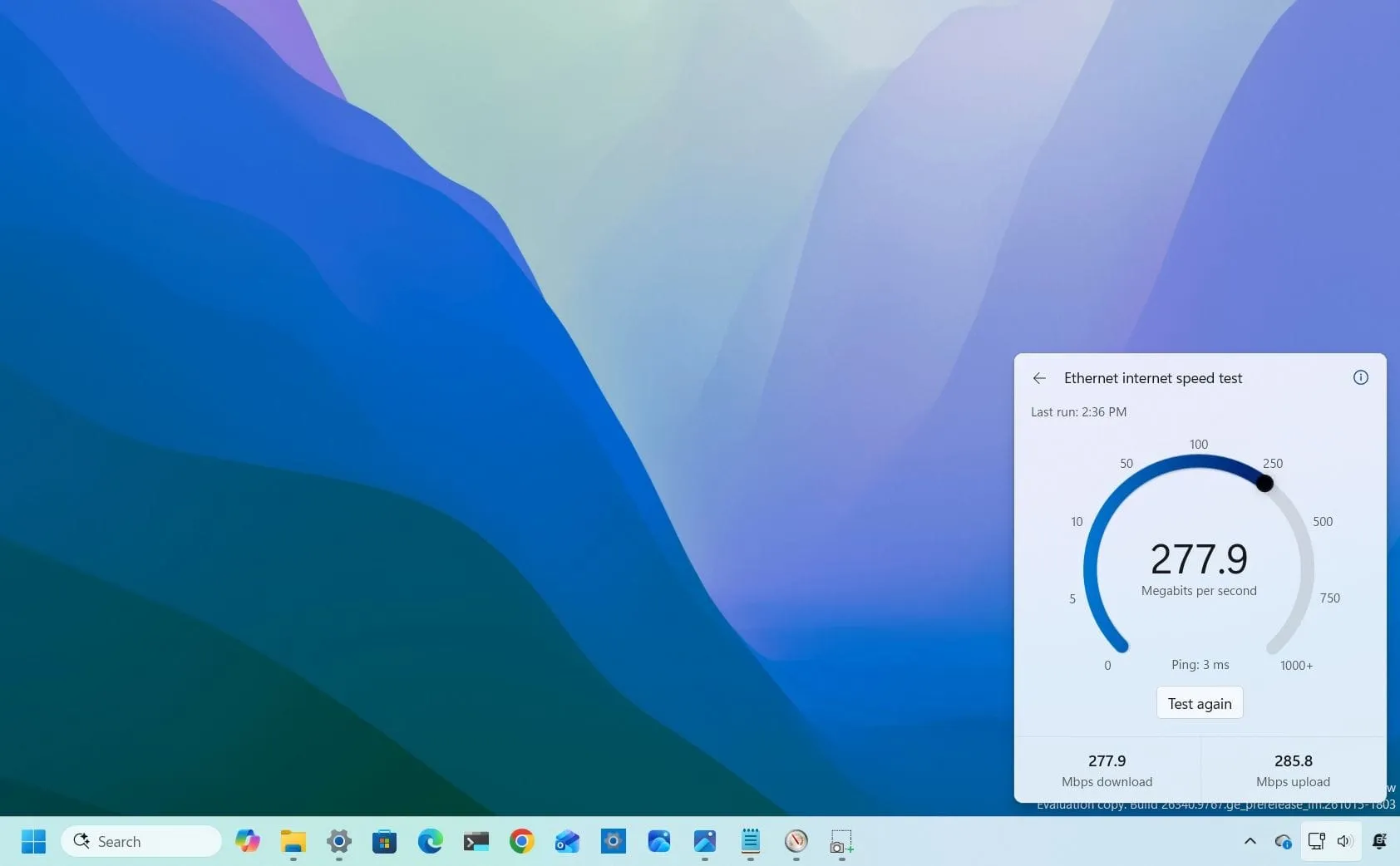
Tired of jumping between applications just to check your internet speed? Microsoft is finally listening, rolling out a significant update to Windows 11 that aims to integrate essential network checks directly into the operating system.
This latest iteration introduces a dedicated, built-in speed test tool that runs right from Quick Settings, allowing users to check their download and upload speeds and ping without needing to open Bing in Microsoft Edge or rely on third-party online tools. It might seem like a small adjustment, but it fundamentally changes how we interact with the operating system by making network troubleshooting seamless.
The new experience is designed to eliminate unnecessary steps. Instead of being redirected to a separate browser page, users can access network diagnostics instantly, leveraging their active internet connection directly within the desktop environment.
To access the new feature in preview on the Experimental channel, users simply open Quick Settings from the Taskbar and select the new “Speed test” option. This means that checking connection metrics is now a native part of the Windows experience, providing immediate feedback without leaving the desktop.
This push toward integration is part of a larger philosophy. For too long, web shortcuts often served as simple conduits, pushing users to external websites like Bing, which prioritized driving traffic to the browser over delivering a cohesive, integrated experience. The previous speed test method was a prime example, forcing a browser detour when the task required no browser at all.
Microsoft is applying this principle across the operating system. In build 26340.9767 and higher, the company has also streamlined other features. For instance, the Microsoft 365 subscription experience has been updated, allowing subscribers to manage recurring billing directly from Settings, eliminating the need to navigate away to external webpages for account adjustments.
These subtle yet meaningful changes illustrate a commitment to making Windows 11 feel more cohesive and less dependent on external web shortcuts. While the speed test tool is still in an experimental phase, it signals a direction where core OS functions become more useful and less cumbersome.
It’s a welcome evolution, showing that the future of operating systems lies not in relying on browser redirects, but in seamlessly integrating powerful functionality right where the user needs it.
Buy on Amazon
Credit
