Reinstall Windows 11 without a USB drive using the new tool
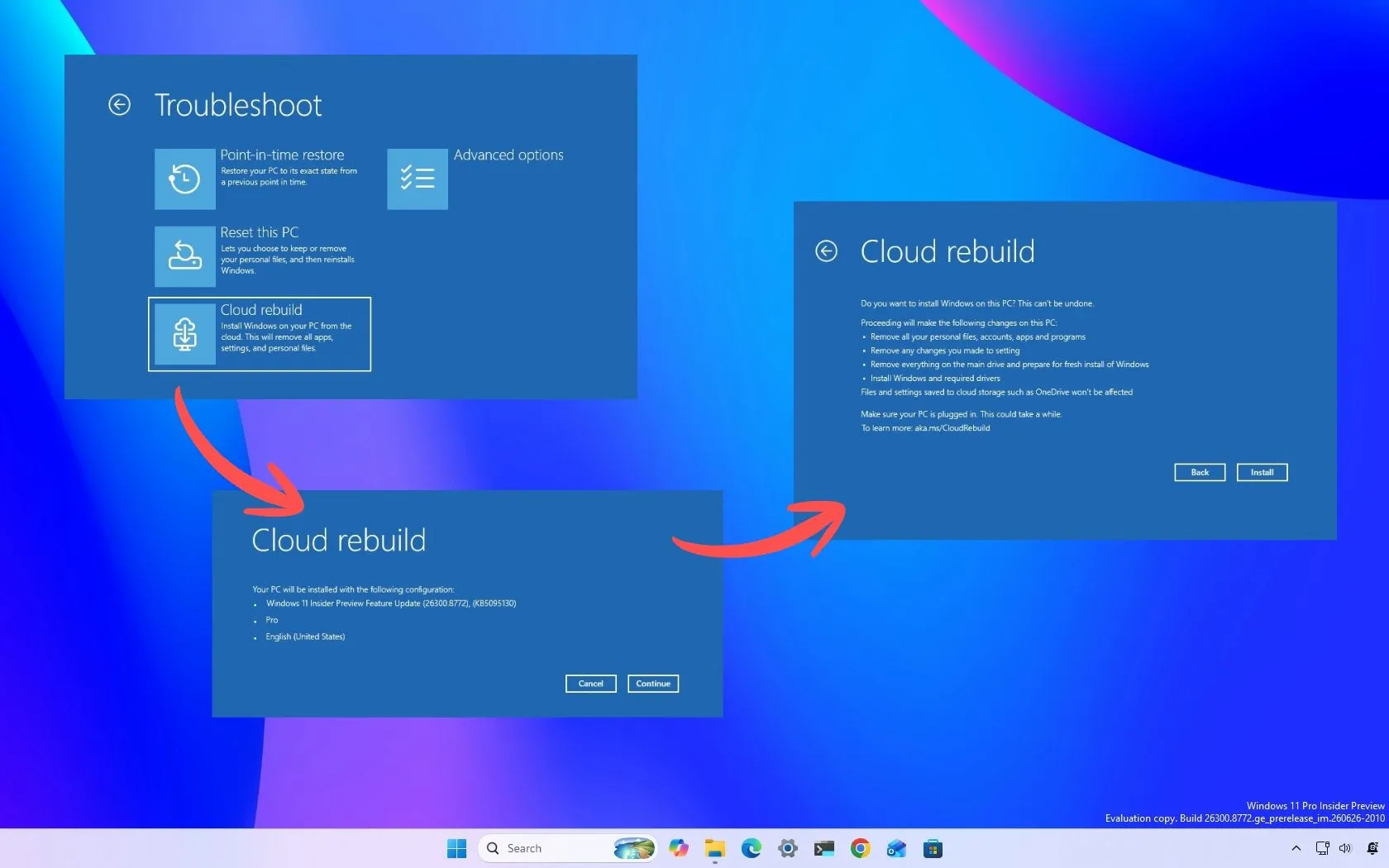
Windows Takes the Rebuild: Introducing the Magic of Cloud Rebuild
Imagine a catastrophic system failure. When your PC won’t boot, traditional recovery methods often involve juggling dusty USB drives, custom images, and a frantic search for the perfect recovery key. Microsoft is now changing the game, introducing a revolutionary feature that promises to simplify the most stressful moment of computer ownership: the complete system recovery.
Enter Cloud Rebuild>, a powerful new recovery option for Windows 11 that allows users to perform a complete system reinstall without needing external USB media or a custom installation image. This isn’t just a minor update; it’s a fundamental shift in how disaster recovery is handled, offering a seamless, cloud-powered solution.
How does this magic happen? Instead of relying on local files, Cloud Rebuild leverages the power of the cloud. It automatically downloads both the necessary Windows operating system files and all required device drivers directly from Windows Update. This means that when disaster strikes, your device can essentially summon a fresh, fully functional operating system directly from Microsoft’s servers.
The real game-changer is its adaptability. Cloud Rebuild is designed to work even when the integrity of the currently installed operating system is compromised. This flexibility allows users to restore or reinstall Windows 11 on devices that are otherwise unbootable, making it an invaluable tool for truly broken systems.
For users who have been plagued by the hassle of preparing recovery drives, this feature eliminates a significant source of frustration. Instead of spending hours creating and managing recovery media, the recovery process is handled automatically in the background, requiring only an internet connection and a power source while the rebuild takes place.
But like any powerful tool, Cloud Rebuild comes with important considerations. Because this process involves a full system overhaul, a crucial step remains: ensuring all essential personal files are backed up before initiating the process. Furthermore, users should be aware that they have the option to sanitize or securely erase data prior to the reinstallation, giving advanced control over data security.
This feature streamlines the entire recovery workflow, offering incredible convenience and security. It positions Windows 11 not just as a powerful operating system, but as an intelligent platform capable of handling its own recovery when things go wrong.
Buy on Amazon
Credit
