Steam Deck gets Xbox dashboard UI with plugin
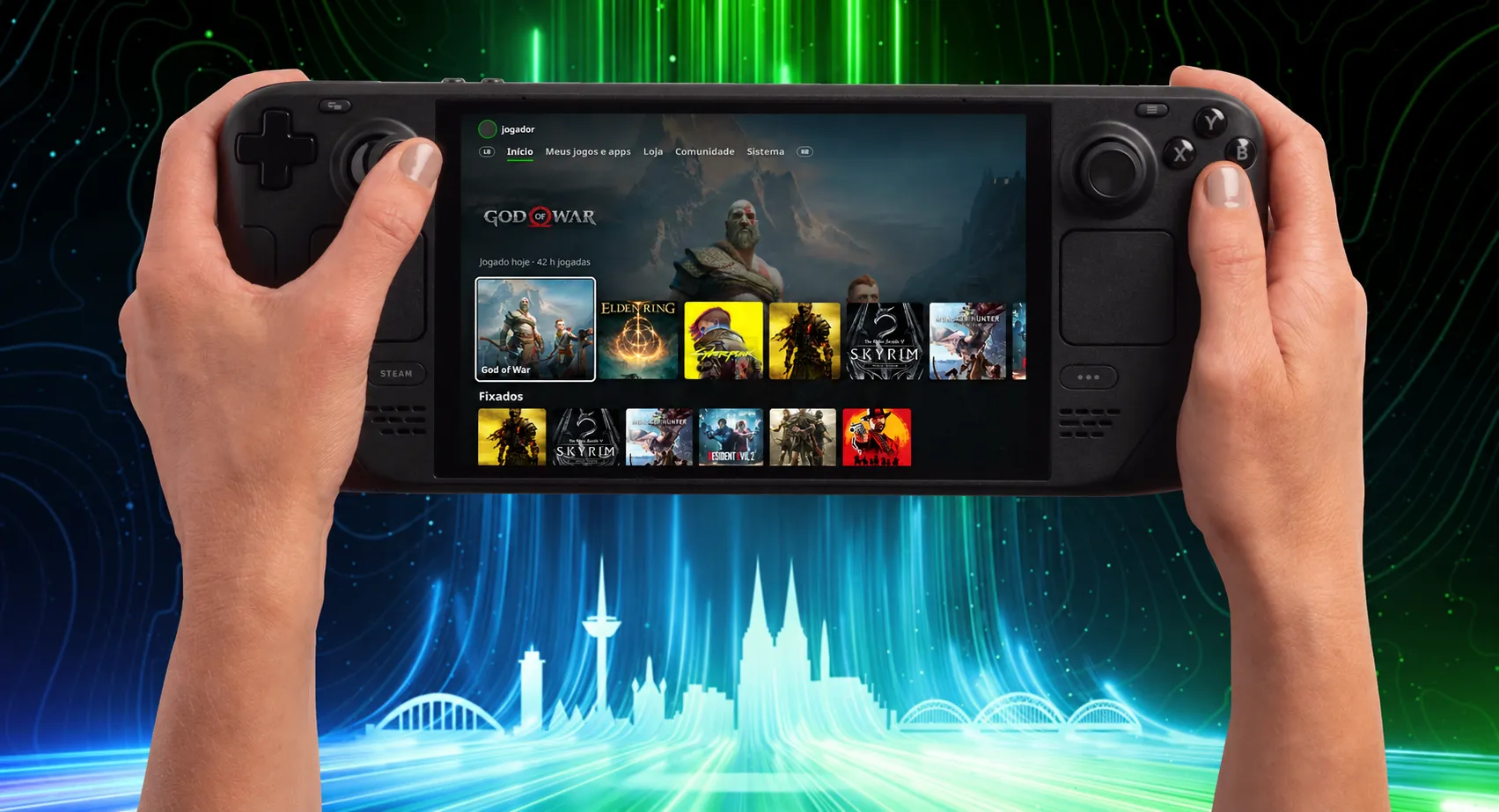
The handheld gaming landscape is rapidly evolving, and while the Steam Deck has carved out a massive niche, the real story might be about what comes next: the desire for seamless, console-grade user experiences in the palm of your hand. Despite the ongoing industry shifts, many enthusiasts are wrestling with the nuances of handheld gaming, often weighing the acclaimed Steam Deck against other contenders like the Xbox Ally.
While the Steam Deck certainly delivers a stellar experience, some observers point out that the overall user experience, particularly regarding Windows 11 optimizations for handhelds, still needs significant refinement. There is a palpable yearning for a cohesive, simplified interface that transcends the standard operating system limitations.
A significant point of friction for many is the fragmented control experience. Even for those who prefer the Xbox ecosystem, the current application dashboards often fall short of the immersive, streamlined feel of a dedicated console. This is where the possibility of true innovation emerges: merging powerful hardware with customized software.
Enter the Decky Xbox Dashboard plugin, a brilliant piece of community-driven development that bridges this gap. Created by kromossomom, this project takes the functionality of the Xbox Series dashboard and seamlessly integrates it onto the Steam Deck, transforming it into a familiar, feature-rich console experience.
With the Decky plugin installed, the experience shifts entirely. Instead of navigating Steam’s standard interface, users can use simple inputs like the left and right buttons to move between core sections: My games & apps, Store, Community, and System. Hovering over a game allows access to compatibility, achievements, and more—mimicking the polished navigation of a traditional console.
The installation process, while requiring a few technical steps involving Decky Loader and Developer Mode settings, is a worthwhile endeavor for those seeking deep customization. It underscores a central theme in handheld gaming: the power isn’t just in the hardware, but in the ability to redefine the software layer that sits on top of it.
The challenge now moves from developing powerful hardware to perfecting the software ecosystem. Whether it’s bringing a console dashboard to a Steam Deck or exploring the potential of third-party launchers like Winhanced, the ultimate goal remains the same: achieving a truly simplified, intuitive, and console-like interface on any handheld device.
Buy on Amazon
Credit
