Supercharges power management on Windows 11
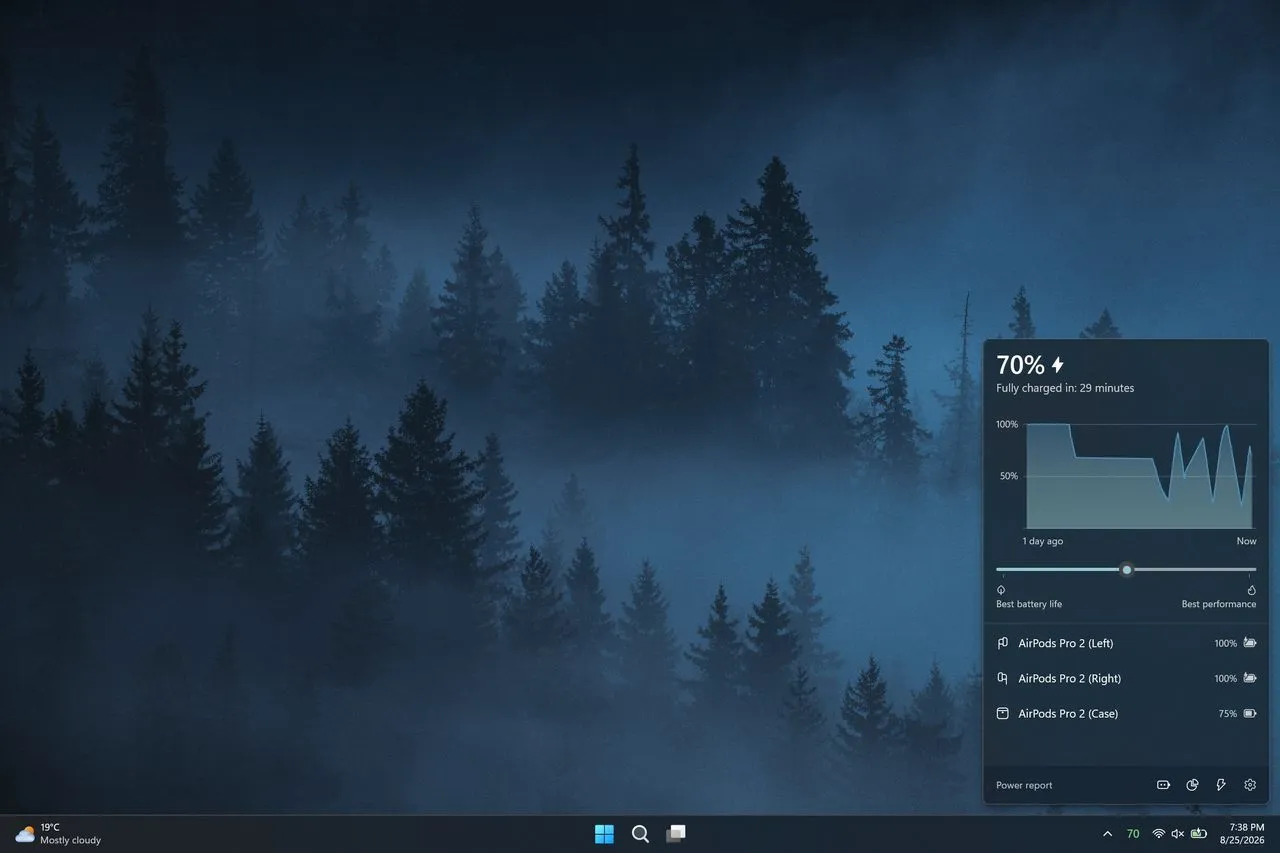
For those of us who appreciate the magic of small, useful tools, finding a perfect flyout or widget can make the difference between a frustrating workflow and a seamless experience. That’s why we love tiny utilities. Recently, a major update to the Battery Flyout application has arrived, bundling significant performance upgrades and highly sought-after features that fundamentally improve how Windows 11 users interact with their power management.
Developed by Michał Łeptuch, Battery Flyout has long served as a vital tool for switching power modes and tracking battery usage. Now, the application has undergone a massive transformation, evolving from a standalone utility into a deeply integrated component of the Windows experience. The most significant change is the migration from the older UWP format to the modern Windows App SDK (WinUI 3) with Native AOT compilation. This transition immediately translates into better performance and allows the application to tap into the latest efficiency improvements Microsoft is rolling out for Windows 11.
Under the hood, this shift isn’t just aesthetic. Battery Flyout now operates in Efficiency mode by default, meaning the application itself consumes less power, reflecting a commitment to system efficiency. Furthermore, the developers stripped away unnecessary third-party dependencies, opting instead for a custom-built system for handling power and battery events, leading to greater stability and reliability.
The new version brings a wealth of data and automation options that bring power insights directly to the forefront. Users can now access a comprehensive new Power report, which offers a holistic view covering battery and system summaries, per-battery details, application trends, resource usage, and tailored recommendations.
A major focus has been on making power consumption transparent. The updated flyout now features more detailed charts for battery levels and includes the ability to switch chart colors between the default theme and your system accent color, providing visual context that is both informative and stylish. Beyond just tracking battery life, the application now supports tracking multiple batteries, which is incredibly useful for users managing complex systems.
Perhaps the most exciting addition for users is the integration of real-time data directly into the Windows Widgets board. A new widget allows users to instantly see their battery level and charging status, fitting neatly into the Widgets panel alongside other essential information. This integration expands the application’s reach, allowing it to now report on battery status for devices beyond standard PCs, including Apple and Samsung devices.
The functionality has also been enhanced with new automation tools. A new Actions module allows users to set up automated tasks triggered by specific battery or power events, streamlining routine management. Further enhancing user control, the app now includes dedicated options for customizing the flyout’s placement on the desktop, adding keyboard shortcuts, and setting specific notifications for battery levels.
These technical underpinnings are paired with subtle but important quality-of-life improvements. The application now supports the Polish language, features updated Bluetooth device icons, and boasts general stability and performance improvements. Battery Flyout is no longer just a simple tracker; it is a powerful, natively optimized utility that seamlessly integrates sophisticated power management with the modern Windows 11 experience.
Buy on Amazon
Credit
