Track wireless kit battery levels easily with this Windows utility
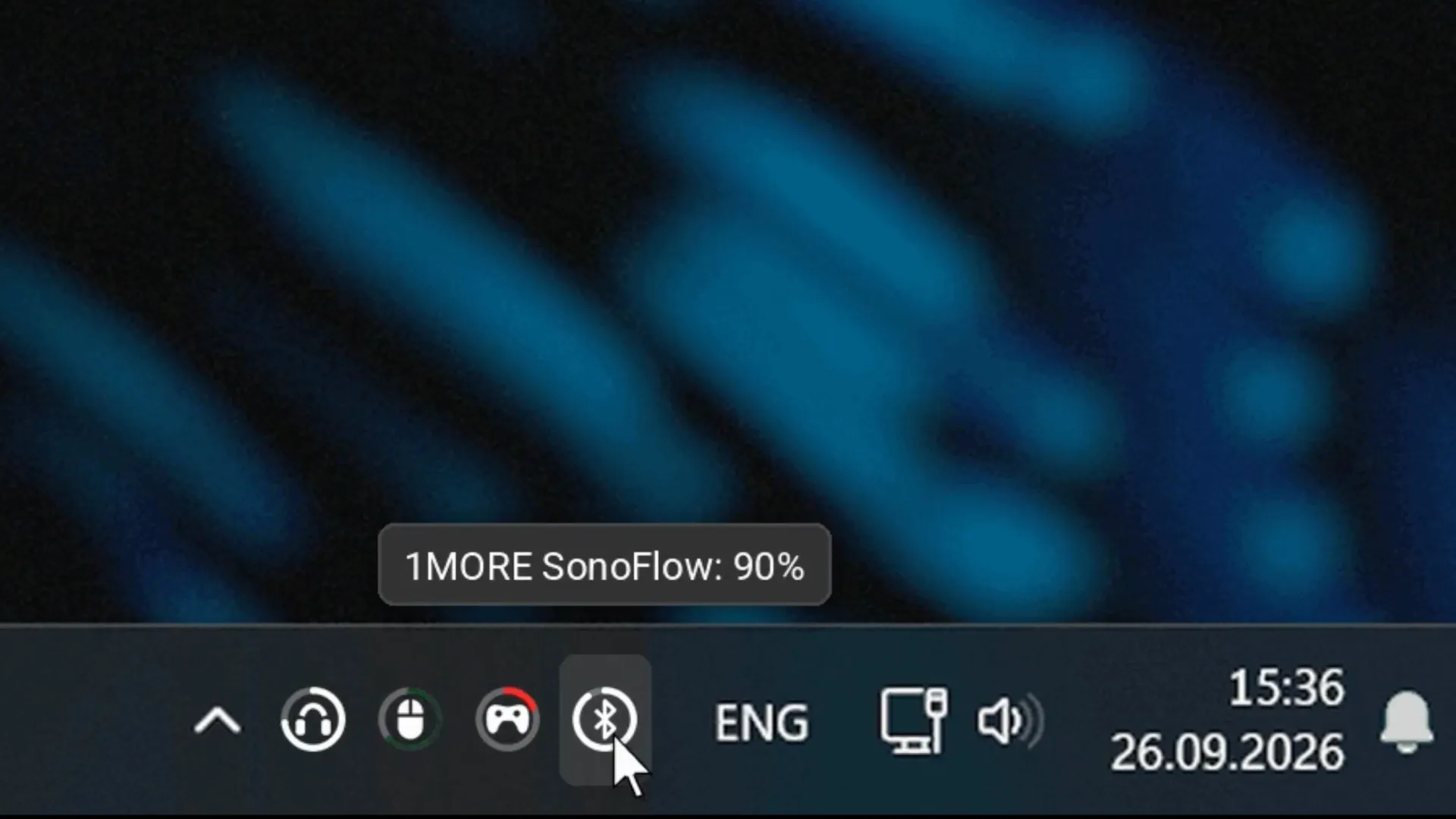
We often find ourselves in a digital world cluttered with separate apps for managing simple information. Why does tracking the battery status of your connected Bluetooth and 2.4 GHz devices require juggling multiple programs? Enter Halo Battery, a clever little utility born from the internet that reminds us what Windows should be capable of.
This neat tray application solves that exact problem, consolidating the battery charge status of all connected wireless devices directly onto the taskbar. It eliminates the need for individual, often cumbersome, device-specific software, offering a single, cohesive view of your power consumption.
Halo Battery provides visual cues that are immediately understandable: a ring that shifts from amber to red when the charge is low, and a gentle green ‘breathing’ animation when the device is actively charging. Hovering over an icon reveals the exact percentage, giving users an at-a-glance status without diving into settings menus.
The utility isn’t just theoretical; it has been rigorously tested across a range of popular hardware, including devices like the Razer BlackShark V2 Pro, WLmouse Beast X Max, GameSir G7 Pro, 1MORE SonoFlow headphones, and the Logitech G502 X Plus. This positive community response has led to a growing list of tested devices available on the project’s GitHub page.
Beyond the obvious ergonomic benefit of centralized tracking, the real appeal of Halo Battery lies in its fight against bloatware. For instance, tracking the charge on a Razer mouse doesn’t require installing the full Synapse application, potentially saving significant background service memory footprint. It offers a pathway to a cleaner, more efficient operating system.
The existence of this tool highlights a larger conversation about what features are essential for a modern operating system. While Windows does offer battery status, it’s often buried within Settings, and most 2.4 GHz dongle devices frequently fail to report their status unless you resort to vendor-specific applications. This deficiency suggests that basic system integration often requires third-party intervention.
Some users have already suggested refinements, advocating for clearer information, such as showing the exact percentage rather than relying solely on the visual ring, and implementing custom per-device audio alerts for immediate notification.
Interestingly, the creation of Halo Battery demonstrates the growing power of community-driven development. The project was developed with the assistance of the Anthropic Claude AI model, with the creator noting that while they handled the concept and testing, much of the coding was done by the AI. This confirms that even complex, high-quality software solutions are increasingly accessible through collaborative efforts.
Ultimately, Halo Battery serves as a compelling reminder: the quality-of-life features that truly enhance the user experience often come from the community, pushing the boundaries of what core operating systems should offer.
Buy on Amazon
Credit
