Windows 11 battery widget shows all connected devices
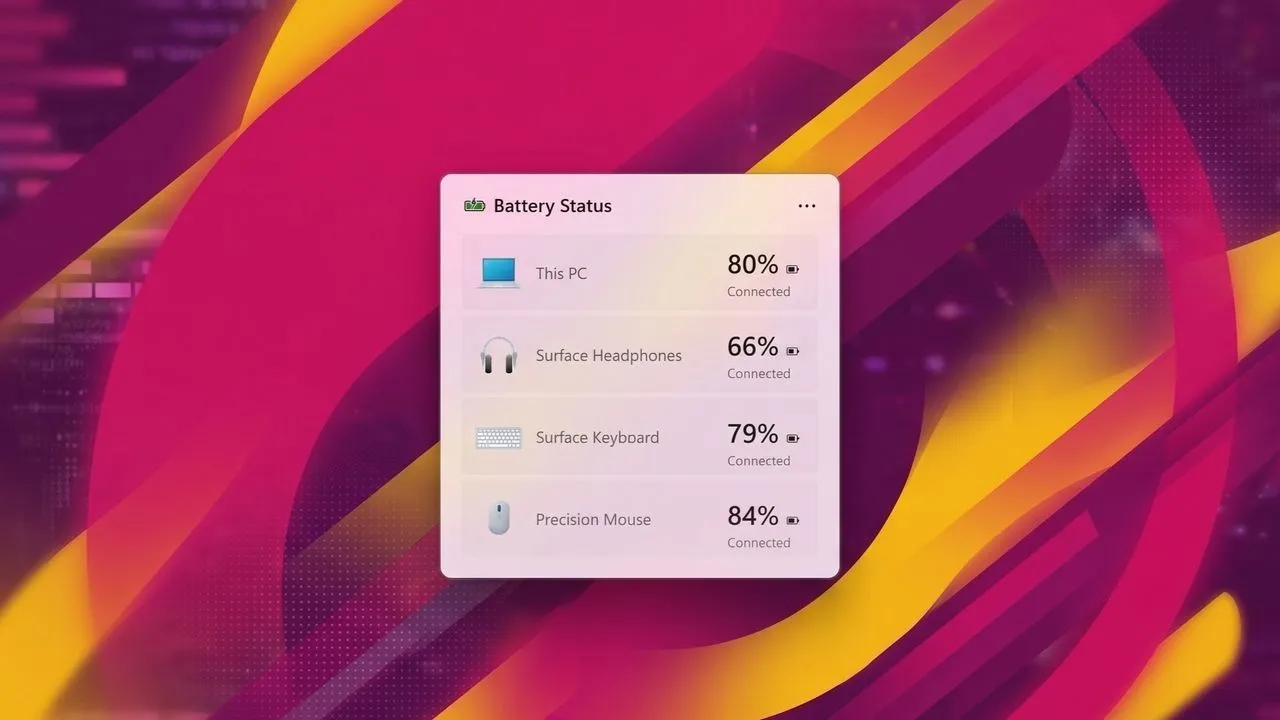
Windows 11 is Bringing Battery Awareness to the Widget Board
Microsoft is slowly but surely adding some much-needed functionality to the Windows 11 ecosystem, focusing on improving system-level widgets. The latest development centers around a new battery widget designed to give users a comprehensive overview of their connected devices and PC power status.
This new feature promises to transform how users monitor their hardware. While it may still be in development, testing builds of Windows 11 already contain the necessary strings and assets, offering a glimpse into what this powerful widget will look like and how it will operate.
Imagine a widget that acts as a central hub for your digital life. It will feature support for both light and dark modes, presenting device information in a neat vertical list, starting with your main PC battery. Each entry will include an icon, the device name, and the current battery percentage, providing immediate clarity on your setup.
Beyond simple power levels, the widget will offer deeper insights. It will display real-time information regarding charging status, energy saver settings, and other critical details about connected wireless peripherals, consolidating this data into one easy-to-view interface.
This move brings Windows 11 closer to the feature parity enjoyed by other major operating systems. Platforms like Android and iOS have long offered sophisticated battery widgets that track the status of all connected accessories, and Windows is now catching up with this essential functionality.
The integration into the Widgets Board is an exciting step, especially considering how much potential the board holds. Many users have noted that while some applications have utilized the Widgets Board, it has often remained underutilized. Features like Phone Link, OneDrive, and Weather have proven their worth, yet there is a clear appetite for more deep, system-level information.
It is no surprise that users are keen on expanding these system-level widgets. While the battery view is a welcome addition, there is a growing desire for other relevant metrics, such as current CPU or memory usage, to complete the picture of system health.
Ultimately, the development of these widgets signals a focus on making the Windows experience more intuitive and interconnected. As development continues, the promise of a fully functional and highly customizable system overview is certainly worth watching.
Buy on Amazon
Credit
