Windows 11 October update hides useful features
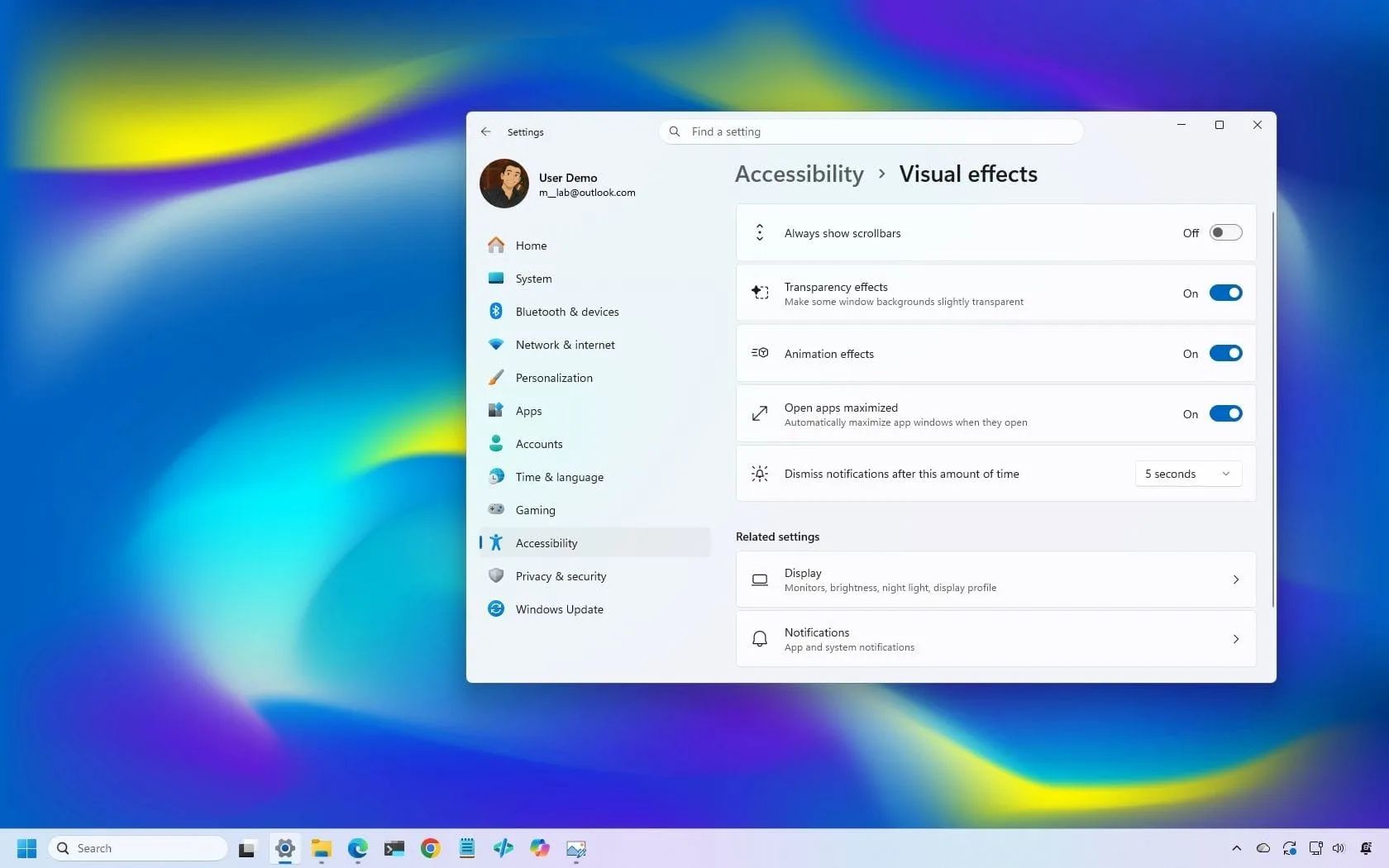
Get ready for a fresh wave of operating system enhancements. Microsoft is preparing to roll out the October 2026 Security Update for Windows 11, and this release is packed with practical improvements and new features designed to make your daily experience smoother and more intuitive.
This update is set to arrive automatically on October 13, 2026, and it brings along Windows 11 version 26H2. Notably, this update marks the final quality improvement cycle for version 24H2, providing a final polish before the system moves forward.
Beyond standard security patches, this update focuses heavily on user control and visual appeal. One of the most anticipated additions is the Open apps maximized feature. This accessibility option allows users to choose whether applications automatically launch in maximized mode, giving you more control over how your workspace is presented.
The experience with core applications is also receiving a facelift. File Explorer is getting serious upgrades, including a new Preview pane that lets you view downloaded HTML files directly, and automatic previews for PDF files. Furthermore, the Home page is smarter, remembering your expanded and collapsed sections so you never have to reconfigure your layout.
Visual refinements extend to the familiar Magnifier tool. The refresh brings visual changes, aligning the toolbar icons with the overall Windows 11 design language, complemented by updated interface padding that ensures a more consistent and spacious layout.
For power users and those who love deep customization, the update introduces new control options. You can now fine-tune touchpad controls, allowing you to scroll vertically with a single finger or use gestural scrolling. The Copilot key also gets a major upgrade, letting you remap it to more useful commands like Right control or the Context menu, integrating the Copilot key into a more familiar keyboard experience.
In the realm of information delivery, a new Tips widget is being added to the Widgets feature, offering quick operating system insights right on your dashboard. You can even place this widget on your Lock screen.
Perhaps the most critical infrastructure update involves the Windows Recovery Environment (WinRE). Microsoft has ensured that WinRE can now reuse previously saved Wi-Fi credentials. This means that when recovery tools are needed, your system can connect to the internet instantly, eliminating the need for separate Wi-Fi configuration.
Additionally, the update strengthens recovery management by adding a remote recovery management plugin, extending management capabilities to MDM providers. Alongside these major changes, smaller quality-of-life improvements are included, such as enhanced background transitions for wallpapers, better DIB image support, and new options to back up your photos with OneDrive. Windows 11 continues to evolve, making system updates less about complexity and more about delivering tangible, useful control to the user.
Buy on Amazon
Credit
