Windows 11 reduces glare without ruining photos and videos
Taming the Screen: Windows 11 Rolls Out New Contrast Themes and Accessibility Upgrades
Windows 11 is continually evolving, and the latest updates are proving that Microsoft is serious about making the operating system not just functional, but truly inclusive. A significant step forward involves introducing new contrast themes designed to dramatically improve visibility and reduce screen glare for users, all while maintaining the rich colors of your media.
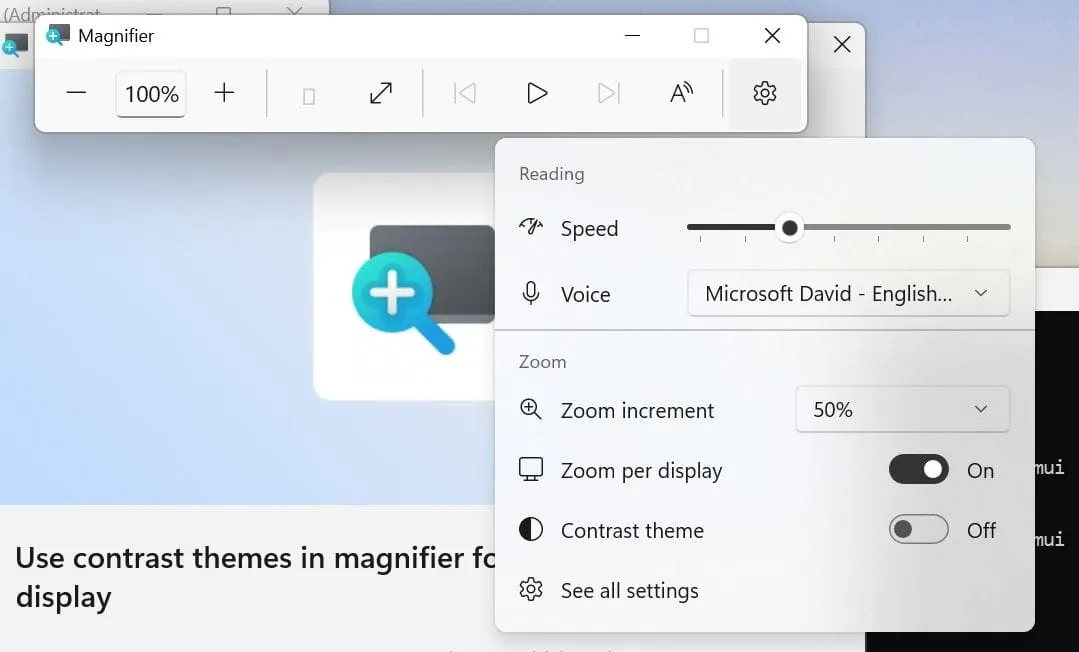
These new contrast themes don’t reinvent color management; they offer a different solution. While many might confuse them with color inversion—which flips every pixel on your screen, including photos and videos—contrast themes operate entirely separately. They adjust the colors of the interface itself, providing a soothing, darker environment without altering the actual content you are viewing.
Microsoft is currently rolling out four distinct contrast themes for testing: Aquatic, Desert, Dusk, and Night sky. While some might find the names a little whimsical, the real innovation lies in how they provide customizable viewing experiences. For instance, the “Aquatic” theme is designed to offer a dark mode feel without the harsh blue light often associated with standard dark themes.
These experimental themes are available for testing in Windows Insiders in the Experimental Channel, specifically with Build 26340.9502. This update demonstrates how the platform is blending accessibility features with aesthetic design in a thoughtful way.
Beyond the new visual themes, this release brings a host of other refinements that enhance the overall user experience. Updates include sleek improvements to the Mouse indicator and advancements in Live Captions, making the system more intuitive and easier to navigate for everyone.
One notable accessibility tweak is the refinement of Live Captions. A new setting allows users to control whether screen reader audio is transcribed, ensuring that captions focus purely on microphone and system sounds, keeping the experience clean and focused.
For IT professionals, the system also receives powerful backend upgrades, particularly with Cloud Rebuild. This feature has been enhanced to allow administrators to sanitize device drives securely as part of the rebuild process, offering a robust way to ensure data integrity. Furthermore, remote management capabilities have been expanded, allowing administrators to initiate rebuilds using specified builds.
Even deep technical fixes are rolling out, addressing compatibility issues within Hyper-V and improving File History backups to prevent unexpected errors. These updates demonstrate a commitment to polishing the operational side of Windows 11, ensuring that the powerful new features are supported by a stable, reliable foundation.
Ultimately, these changes showcase a clear trajectory: Windows 11 is moving toward a future where powerful, accessible features are integrated seamlessly, allowing users to customize their environment for optimal comfort and visibility.
Buy on Amazon
Credit
