Windows 11 Search Overhaul: Your essential guide
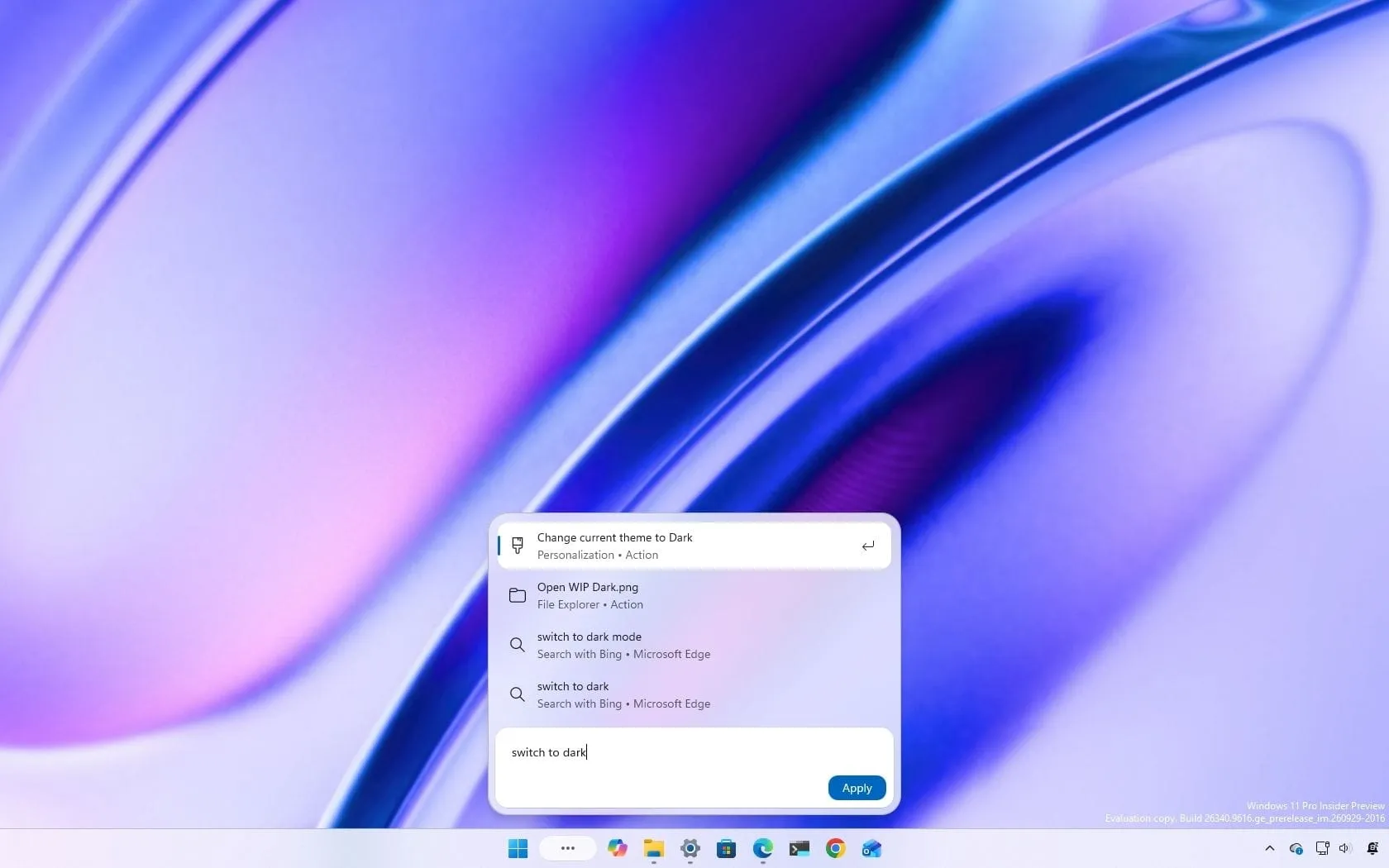
Beyond Searching: How Windows 11 is Transforming the Way You Interact with Your Computer
Microsoft is shaking up the core experience of Windows 11. The traditional Windows Search function is no longer just a tool for finding files and apps; it’s evolving into an interactive hub designed to let you perform actions directly from the Taskbar. This overhaul aims to make the way you interact with your operating system faster, smarter, and significantly more streamlined.
The redesign is built on modern technologies like WinUI 3, which promises to deliver tangible improvements in performance and reduced memory usage. But the real magic lies in what this new system lets you do. Forget juggling multiple applications to adjust settings—the redesigned Search is introducing inline actions, allowing you to execute common commands directly from the search bar.
Imagine typing commands like “switch to dark mode” or “turn on Bluetooth” and having the system execute the change instantly, without opening a separate Settings application. This shift moves the focus from searching to doing, turning the Taskbar into a powerful command center.
Beyond simple actions, the new Search experience is packed with richer information. Users will benefit from expanded file previews and more detailed web results, including contextual information cards for topics like weather and stock prices, meaning you can find and absorb information without leaving the interface.
The integration of artificial intelligence is also a key focus. Microsoft is weaving Copilot directly into the Search experience. This means users can pose questions and receive AI-generated answers right in the search interface, streamlining the information retrieval process. Selecting a result allows users to dive deeper into a full conversation with the Copilot app, providing an opt-in experience that users can control.
It’s important to understand the technology powering these new features. While the experience feels AI-driven, the inline actions do not rely on large language models or Neural Processing Units (NPU). Instead, the system leverages a small machine-learning (ML) model that runs locally on the computer’s main processor. This approach ensures speed and privacy, making the enhanced functionality accessible on a wider range of devices, regardless of whether they have an NPU.
Looking ahead, Microsoft is continually building this vision. They plan to deepen the integration with the Start menu in 2027, bringing the new Search experience into a more central location. Furthermore, the path to seamless interaction continues, with plans for advanced capabilities like allowing Search to manage connected devices, such as sending text messages via Phone Link.
The journey to a fully realized, intelligent search is underway. As Microsoft continues to refine the interface and integrate these features, the goal is to make Windows 11 not just a place to find things, but a true environment where simple tasks and complex information retrieval happen effortlessly.
Buy on Amazon
Credit
