Windows 11’s 9 major improvements coming in 2026
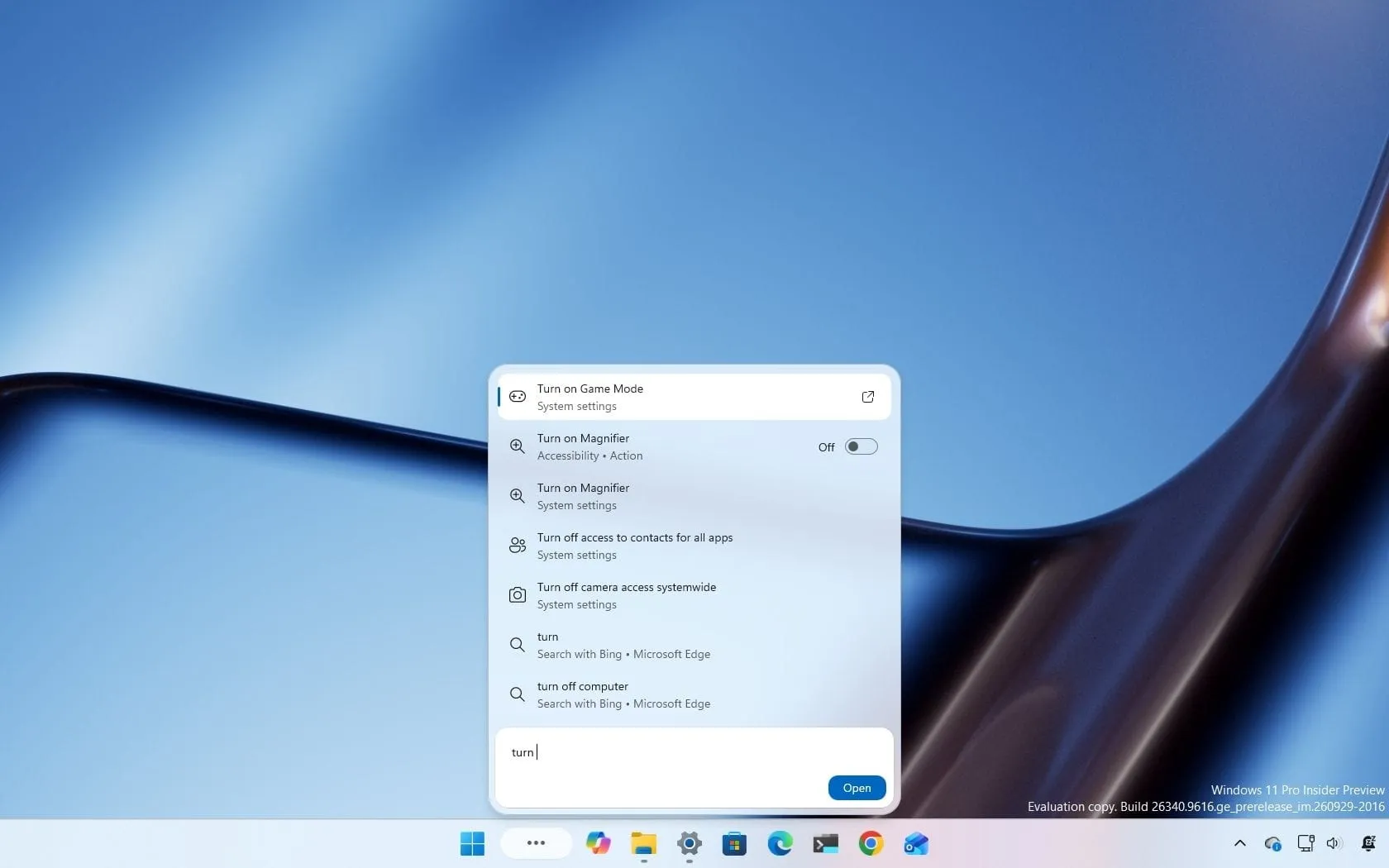
The Windows Insider Program is a constant source of innovation, and the recent previews released in early October brought a host of exciting, practical improvements to Windows 11. Microsoft has been busy rolling out features that don’t just tweak settings; they fundamentally change how we interact with the operating system, making the experience faster, smarter, and more secure.
One of the most transformative updates is the complete overhaul of the Windows Search experience. Starting with build 26340.9616 for version 26H2, users are getting a new interface built on WinUI 3, designed for lightning-fast results and reduced memory consumption. Beyond aesthetics, the new Search is packed with inline actions, allowing users to perform tasks—like switching themes, adjusting brightness, or enabling Bluetooth—directly from the search box. Microsoft is also refining how Search understands context, handling typos and synonyms far more intelligently.
Beyond the core search, daily interactions are getting a significant upgrade. For those who track their devices, a new Battery Status widget is now available, providing a unified view of battery levels across the laptop, mouse, keyboard, and headphones, eliminating the need for third-party tools. Meanwhile, the Task Manager is also evolving, introducing a new process group system that allows applications to consolidate background processes into single, manageable categories, offering a clearer view of system resource usage.
File management, often a source of frustration, has also seen welcome refinements. Updates introduce handy shortcuts, such as using the “~” character to instantly navigate to profile folders like “~\AppData”. Furthermore, improvements ensure that folder view customizations, including sorting and icon size preferences, remain consistent no matter which application you are using. For users managing data, the Cloud Rebuild feature has gained powerful new options. It now includes a dedicated “Remove & sanitize files” option, allowing for secure data erasure before reinstalling the operating system, along with enhanced remote management capabilities for administrators.
Accessibility and navigation are also being boosted. Windows Narrator has been enhanced with a more natural approach to reading math. Users can now explore complex equations piece by piece using a new navigation mode activated by “Narrator key + Alt + N”, allowing them to move through fractions and exponents with intuitive arrow keys. This new math capability extends to supported web content in Edge and Chrome, bringing sophisticated mathematical exploration to everyday browsing.
Even simple tools are getting smarter. The Magnifier now gives users direct control over the zoom percentage in the toolbar, moving away from preset options, and the settings have been expanded to include more fine-grained increments up to 400 percent. In the realm of sharing, the Windows Share interface is getting experimental tweaks, allowing users to pin frequently used applications directly for easier access.
These updates demonstrate Microsoft’s commitment to making Windows 11 not just functional, but genuinely practical. By focusing on streamlining core utilities like Search, enhancing system recovery, and improving accessibility features, these preview builds are successfully addressing common pain points, ensuring that Windows 11 remains a powerful and intuitive operating system for everyone.
Buy on Amazon
Credit
