Windows user tests the ASUS Googlebook 14 experience
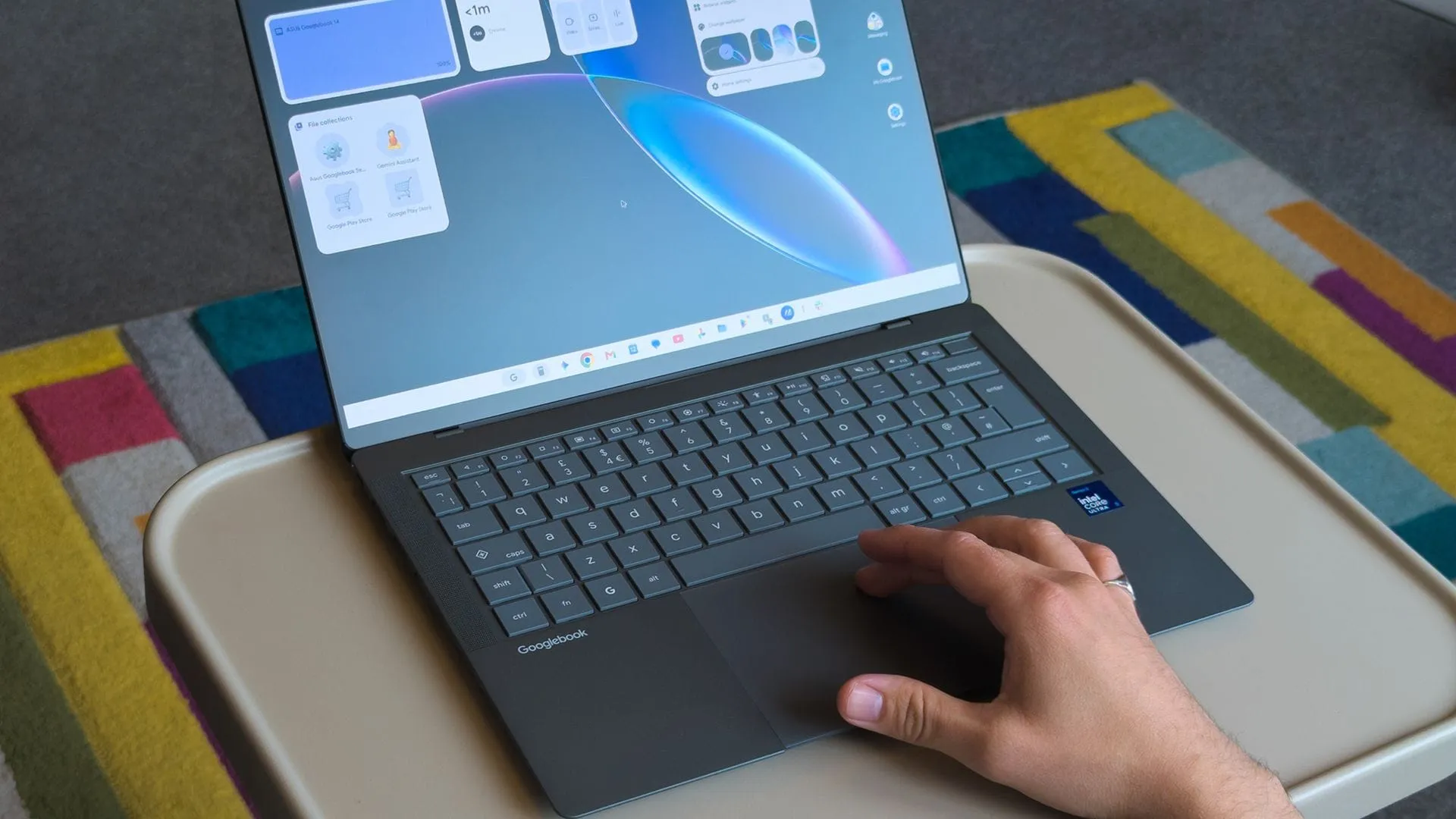
The laptop landscape is constantly shifting, and this year saw a notable move from Google, which decided to step out of the realm of building its own hardware and instead focus on partnerships. In September, Google unveiled the ‘Googlebooks,’ a line of premium laptops built in collaboration with major Original Equipment Manufacturers (OEMs) like ASUS, Dell, HP, and others. Rather than just offering budget-conscious Chromebooks, these devices aim to compete directly in the Windows laptop market, focusing on the highly popular 14-inch format.
The selection is compelling. The ASUS Zenbook A14, for instance, is leading the charge, positioning itself as an intriguing option for users seeking high-end specifications without the flagship price tag. It embodies a design philosophy that emphasizes lightweight engineering. ASUS claims the Googlebook 14 starts at a weight of 0.99 kg (2.18 lbs), a figure that aligns closely with real-world measurements, bringing it in just under 0.97 kg (2.13 lbs). This focus on featherlight construction is a major win, echoing the successful designs seen in other premium lines.
Beyond the lightweight chassis, the display quality sets a high bar. These devices feature stunning OLED panels, often in a 16:10 aspect ratio, offering exceptional color depth. With brightness ratings reaching up to 450 nits and 100% DCI-P3 color gamut coverage, the screens are clearly designed for creative professionals. It’s a technical package that screams premium hardware.
The physical interaction also feels polished. ASUS equipped the Googlebook 14 with a chiclet keyboard that offers 1.5mm of key travel, providing a satisfying tactile feel. The 6-inch haptic touchpad is equally impressive, allowing for responsive left-clicking anywhere on the surface. While the hardware is undeniably fantastic, the true test of any new operating system lies not in its aesthetics, but in the daily workflow.
Unfortunately, the software experience introduced some unexpected wrinkles. Early impressions revealed several user experience oddities that made adapting to the new system a genuine learning curve. For example, the standard Caps Lock key defaults to activating a context menu instead of simply toggling capitalization, requiring users to remember the Fn key for the desired function. Furthermore, essential keys like Delete require a combination (Fn + Backspace), and the touchpad’s gestures are less intuitive than expected.
App compatibility also presented friction. Google’s method of classifying applications—such as Slack falling into the ‘Better on the website’ category—forces users into a segmented experience. The attempt to integrate Android application standards into the Windows environment, while promising flexibility, sometimes results in applications defaulting to web versions, keeping users tethered to the browser rather than offering native performance. Even essential desktop tools, like Task Manager, have faced hurdles during the transition.
While the hardware itself is a triumph—a beautifully engineered machine from a trusted partner—the broader appeal of the Googlebook OS remains to be fully realized. The integration of AI features like Gemini is exciting, but for the general public, the experience hinges on solving these underlying software inconsistencies. Ultimately, the question remains: will this platform capture market share, or will the friction points prove too stubborn for widespread adoption?
Buy on Amazon
Credit
