Boost productivity using your MMO mouse buttons
The Evolution of Efficiency: Why Multi-Button Mice Are a Workflow Game-Changer
When you’re spending hours immersed in digital worlds, your peripheral—your mouse—is more than just a tool for pointing; it’s an extension of your will. But what kind of mouse truly optimizes your daily PC or laptop experience? Is it a simple two-button device, or does it offer the complex functionality needed to streamline high-octane gaming and demanding professional tasks?
For many enthusiasts, the answer lies in specialization. While some users opt for hyper-focused tools like the Logitech G Superlight 2 when pure precision is paramount during intense FPS sessions, others discover that a multi-button mouse unlocks unparalleled workflow efficiency. The intuitive functionality of these complex peripherals allows users to streamline complicated keyboard combinations and drastically reduce hand cramping.
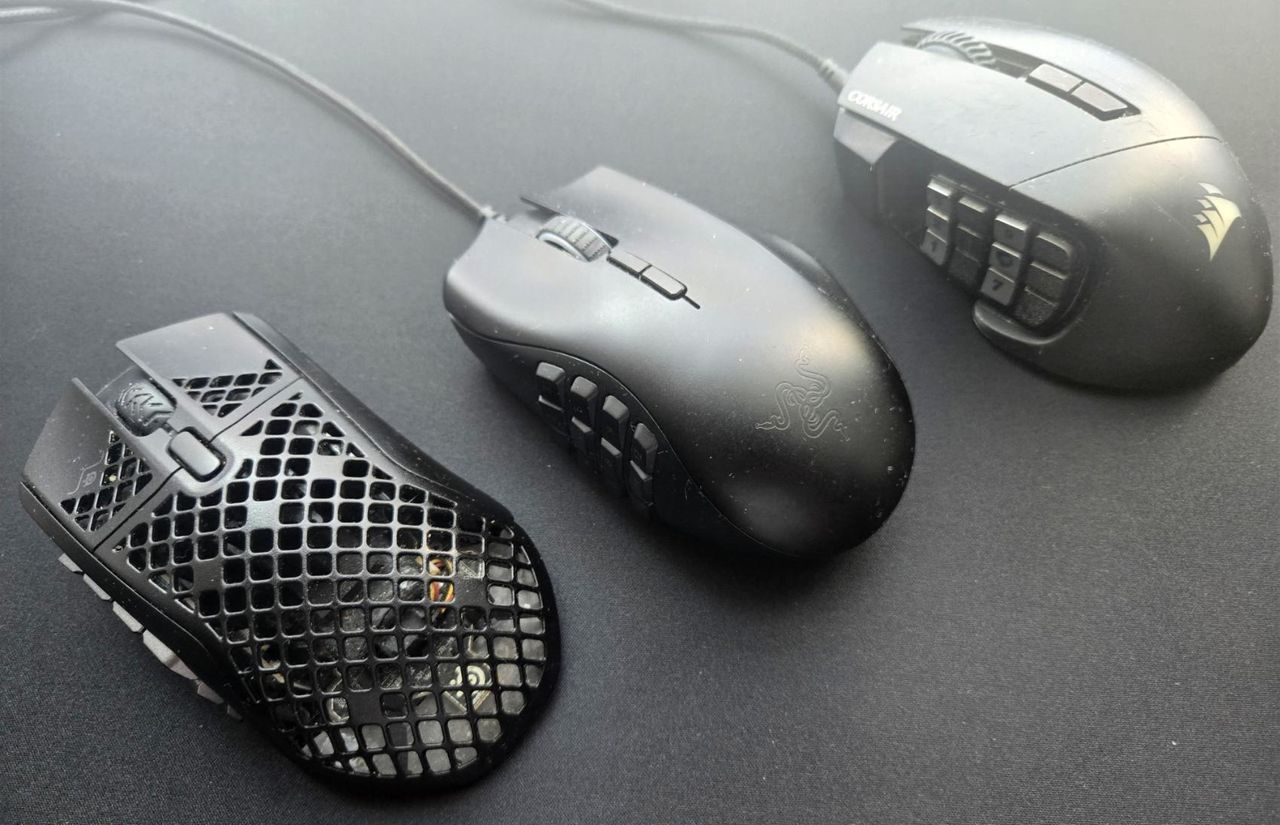
The journey toward this specialized equipment began with early attempts at customization. One pioneer was the Razer Hex, an early MOBA mouse that introduced side buttons for additional commands. While initially requiring time to train muscle memory, these extra buttons proved invaluable, freeing up precious keyboard space and significantly boosting reaction times in fast-paced gaming.
As demand grew, so did the innovation. The concept evolved into multi-button behemoths like the Razer Naga, which popularized the 12-button side panel. Mastering these layouts requires practice—learning to commit button positions to memory is key—but the reward is a mouse that truly streamlines your digital life.
Today, the ecosystem of MMO mice has exploded, featuring models such as the SteelSeries Aerox 9 and the Corsair Scimitar. These devices are not just for gaming; they become powerful productivity accelerators. Using accompanying software like Synapse or iCUE allows users to completely reassign functions, including DPI buttons. This capability transforms the mouse from a game peripheral into an essential tool for professional tasks.
Imagine simplifying repetitive actions: copying and pasting frequently used formulas or recording entire editing processes as a single macro. By assigning these complex sequences to side buttons, you can execute large-scale edits without ever lifting your left hand from the keyboard. Furthermore, advanced software allows for application-specific profiles. A user can instantly switch their thumb grid to optimized shortcuts for Premiere Pro or DaVinci Resolve the moment they launch the respective program.
The ultimate potential of these mice is realizing that your entire workflow can be programmed. By taking a moment to map out your most-used commands and assigning them to the mouse, you can create efficiency loops that let you edit complex projects or manage spreadsheets entirely with your fingers.
If you are using multiple keyboards or macro pads alongside your PC setup, exploring a multi-button mouse is a highly recommended step. While there is an initial learning curve to master those 12 buttons, the enhanced efficiency and streamlined workflow are well worth the time investment. The choice of peripheral ultimately depends on what tasks you want to automate—and these mice prove they can do it all.
Credit
