M.2 SSD heatsink failure slows down performance
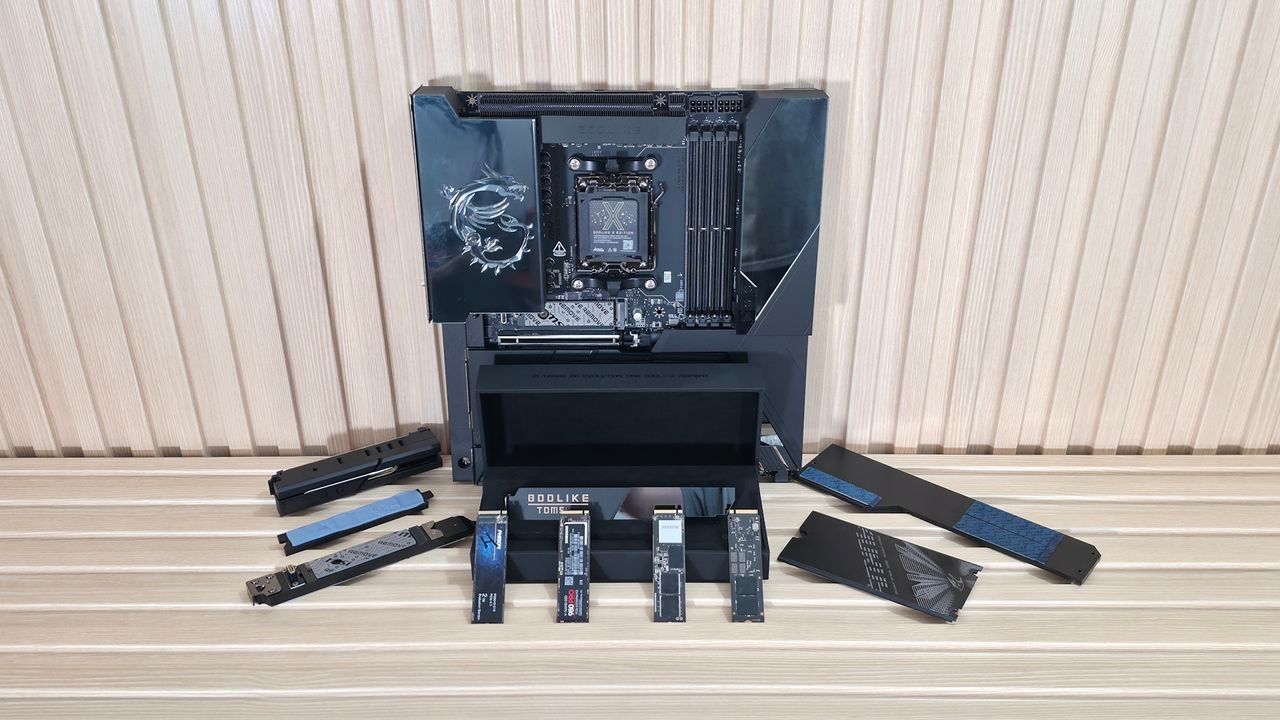
The Hidden Heat of Speed: Why Your M.2 SSDs Are Fighting for Survival
For a decade, the relentless march of technology has crowned the M.2 Solid State Drive as the king of storage, systematically dethroning bulky hard drives and even older 2.5-inch formats. These tiny drives didn’t just increase capacity; they delivered blistering speeds, fueled by new flash technology and faster PCIe generations. But with this incredible performance comes a hidden adversary: heat management.
As we push the boundaries into the realm of cutting-edge PCIe 5.0 drives, the thermal output escalates dramatically. This increased heat puts a strain on the system, often leading to a phenomenon known as thermal throttling—a nasty slowdown where your drive deliberately sacrifices speed to cool down and protect itself. If you are dealing with large data transfers or demanding workloads, this unnecessary delay can turn an efficient workflow into a frustrating wait for results.
Many high-end SSDs come equipped with heatsinks designed to manage this thermal output. Yet, the real mystery lies in how effectively these coolers actually communicate with their motherboard counterparts. We wondered if the standard M.2 heatsinks installed on motherboards were truly doing their job of whisking away the heat.
Our investigation dug into the physical reality of cooling design. The difficulty stems from the very nature of the M.2 standard, which allows for varying component heights (Z-heights) depending on the drive type. While engineers aim for a perfect solution, finding that consistent thermal contact between the drive and the motherboard heatsink proved to be surprisingly inconsistent across different brands and price points.
When tested across twenty modern motherboards from various manufacturers, the results were anything but uniform. We found that only a handful of board setups achieved genuinely good contact with the SSD components. In some cases, the heatsinks ended up barely touching the controller chip, or worse, leaving crucial parts entirely uncontacted. This inconsistency suggests that simply slapping a heatsink on a motherboard might not be the guaranteed cooling solution you hope for.
For users who frequently handle massive file pools or run heavy AI and database workloads, this potential performance loss is something to address proactively. If you find yourself waiting minutes for large transfers, it’s time to look beyond the surface and examine your setup’s thermal integrity.
So, what’s the fix? The solution isn’t always a complex engineering overhaul. For many users, adding a simple layer can make a significant difference. You can upgrade your cooling by using thicker thermal pads—materials like Thermal Grizzly Minus Pad 8 or Arctic TP-3 offer superior conductivity and compression without warping your motherboard. Alternatively, opting for a third-party M.2 heatsink bypasses potential issues with integrated board coolers entirely.
Ultimately, while the complexities of hardware contact are tricky, most mainstream users won’t experience severe throttling during typical gaming or application use. However, if you rely on sustained, high-speed storage performance on PCIe 4.0 and especially PCIe 5.0 drives, paying attention to M.2 cooling—and ensuring solid physical connection—is the smartest way to guarantee that your drive performs exactly as fast as it should.
Buy on Amazon
Credit
