New compact menu design makes Windows 11 faster and reliable
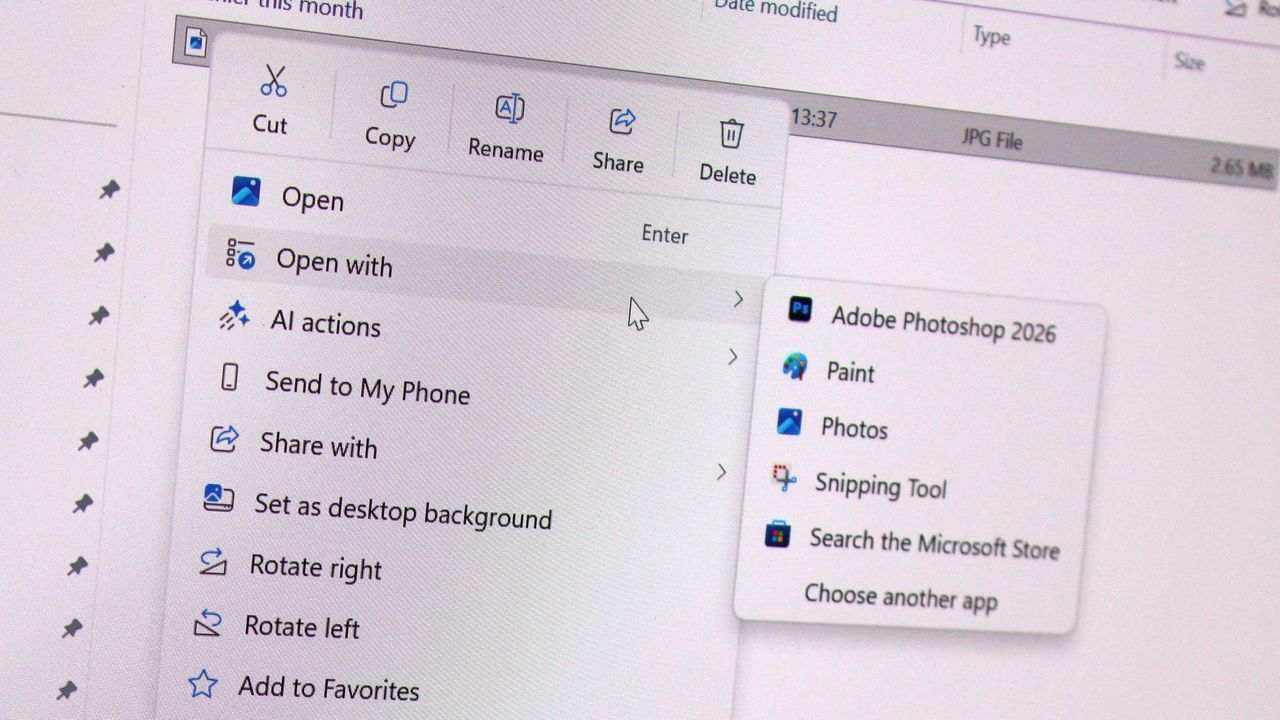
There is nothing quite as frustrating in modern computing as waiting for a menu to appear. Windows 11, despite its sleek design, has inadvertently introduced a layer of digital clutter where context menus—those right-click menus that offer quick actions—have become bloated and slow to load.
For too long, users have struggled with this issue. When you right-click in File Explorer or on the desktop, waiting a split second for the menu to pop up can feel like an eternity, especially on systems loaded with numerous applications and third-party tools. These menus often become overburdened by actions from both Microsoft and various developers, slowing down the entire interaction.
Microsoft is finally addressing this persistent annoyance with a major overhaul designed to inject speed and control back into the user experience. The focus is on two primary goals: making the menu faster and giving users total command over what they see.
To tackle the sluggishness, the company is developing a new, compact context menu design. This streamlined approach prioritizes the most commonly used actions, effectively ditching the unnecessary load of numerous third-party options that previously held up the process. The goal is simple: instant responsiveness whenever you right-click.
But the changes go beyond mere speed. A key component of this upgrade is a powerful new customization feature. Users will soon have the ability to dictate exactly what apps and actions appear in the menu, how they are arranged, and even the option to hide or show them entirely.
A new “customize” option will be integrated at the bottom of the menu, providing access to a configuration center where users can fine-tune their menu environment. This level of control empowers users to tailor the interface precisely to their workflow.
These improvements are not isolated fixes; they are part of Microsoft’s larger commitment to refining Windows 11 through the ongoing Windows K2 initiative. This larger effort aims to bring greater consistency and performance across the entire operating system.
Underpinning these enhancements is a strategic move toward WinUI, ensuring that areas like File Explorer properties and the Start menu are aligned for better performance. By leveraging WinUI, Microsoft can ensure that context menus are inherently faster and more reliable, instantly reacting to user input across the system.
While an official announcement date remains unconfirmed, demonstrations have shown polished, working code, suggesting these performance-boosting and customization features are imminent. It is highly anticipated that these essential updates will be rolled out before the end of the year, delivering a context menu experience that is both snappy and fully personalized.
Buy on Amazon
Credit
