Save hundreds of GB with Game Compressor and LZX compression
The quest for affordable high-speed storage has turned into a real financial headache. As prices for NAND flash memory have skyrocketed—some reports suggest a hike of around 50 percent overnight—buying a large solid-state drive has become a cold-sweat experience. Even the most basic 2 TB models are now pushing close to $250, and performance-focused drives command even higher prices.
This market frenzy is fueled by severe shortages in both memory and storage components. The industry is grappling with capacity constraints that force massive deals, such as a multi-year agreement for billions in NAND, locking in fixed pricing while the spot market threatens to dry up.
For gamers and anyone dealing with punishing disk space, this shortage creates an urgent need to find creative ways to conserve storage. One clever strategy emerges: maximizing every gigabyte of available space by leveraging built-in system functions.
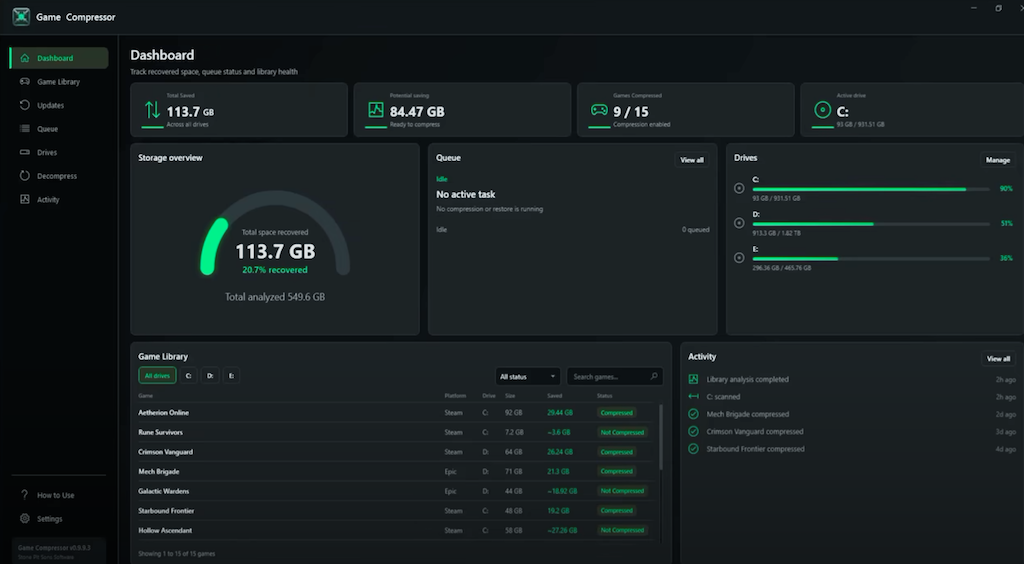
Enter the solution for space-saving: a utility designed to transparently compress games on your local drive. This tool transforms wasted disk space into massive savings, offering immediate relief and flexibility to manage large game libraries.
For instance, games like ARK Survival Evolved”>ARK Survival Evolved can see dramatic reductions in size, shrinking from 169 GB down to just 91 GB, while titles like Crimson Desert”>Crimson Desert can be slimmed down by 32 GB. Even if some games don’t offer huge savings, reducing the footprint of even a few titles frees up the space needed for entirely new installations.
How does this magic happen? The utility works by tapping into Windows’ built-in LZX folder and file compression capabilities. It leverages existing NTFS compression methods to compress games directly on the disk, often resulting in substantial savings without requiring complex third-party software.
Beyond simple compression, the application offers impressive user controls. Users can set up watched folders, preview potential space savings before acting, and manage the process with full control. Unlike standard command-line tools, this utility provides a convenient queue system where tasks can be paused or cancelled instantly—a major upgrade in convenience.
One of the most ingenious features is its ability to handle updates gracefully. If a game receives a patch, the compressor automatically reapplies the compression, ensuring that the space savings are maintained, eliminating the hassle of manual decompression after an update.
While there is a caveat for advanced users—compressing DirectStorage-enabled games is generally not recommended due to potential stuttering introduced by CPU decompression steps—the convenience remains undeniable. For those looking to strike a middle ground between powerful compression and ease of use, options like Game Compressor or the open-source CompressGUI offer fantastic ways to reclaim precious space.
Buy on Amazon
Credit
