Top 10 life-changing Windows 11 features from Reddit
Windows 11 is often presented as a sleek, modern operating system filled with flashy new interface elements. But peel back the layers, and you discover that beneath the surface lie dozens of quietly brilliant features that don’t require a major update—they simply demand a change in your daily workflow.
While big announcements grab headlines, what truly revolutionizes productivity are the small, often overlooked tools built into the system. Users on platforms like Reddit are sharing insights, revealing that the most valuable improvements aren’t the flashy new buttons; they are the subtle enhancements that eliminate friction dozens of times a day.
These hidden gems transform mundane tasks into seamless operations. Take, for example, simple clipboard history, which stops you from losing copied information and turns copying into a true productivity tool. Or consider the built-in tools that make complex system management ridiculously easy.
Here are some of the most underrated features that can fundamentally change how you interact with Windows 11:
Turning Copying into Productivity: Clipboard History
The simple act of copying text and images is central to modern work, but it often results in lost data. Clipboard history solves this by keeping a log of everything you’ve copied, allowing you to retrieve items instead of constantly hunting through your memory.
This feature eliminates the anxiety of overwriting important snippets. For writers, developers, or anyone juggling multiple links and notes, having access to recently copied content acts as a temporary workspace, dramatically speeding up research and note-taking.
The Snipping Tool: Beyond Simple Screenshots
Many users still treat the Snipping Tool as just a basic screen capture utility. However, this application packs far more power than a simple screenshot tool. It seamlessly combines capturing screens, extracting text from images using OCR technology, recording video, and even creating GIFs from short clips.
This built-in capability means users no longer need to rely on third-party applications for complex tasks. The ability to extract readable text directly from an image is particularly powerful for troubleshooting or analyzing documents quickly.
Instant App Management with Winget
Rebuilding a software collection after an operating system refresh can be tedious, requiring searching numerous websites for reliable installers. Windows Package Manager, or the winget command, changes this dynamic. Users can install and update applications directly from the command line.
This method brings a level of package management convenience usually found in Linux environments to Windows, allowing power users to restore and maintain their software collections with unparalleled speed and efficiency.
Workflow Mastery: Snap Layouts and Multi-Monitor Shortcuts
Managing multiple windows across large, modern displays can be frustrating. Windows 11 introduced Snap Layouts, which structure window arrangement into manageable layouts. Paired with the powerful shortcut Win+Z, users gain immediate control over how their workspace is organized.
Furthermore, for those using dual or multi-monitor setups, simple shortcuts like Win+Shift+Arrow instantly move the active window between screens, solving the headache of dragging windows across monitor boundaries.
Troubleshooting Made Simple with Reliability Monitor
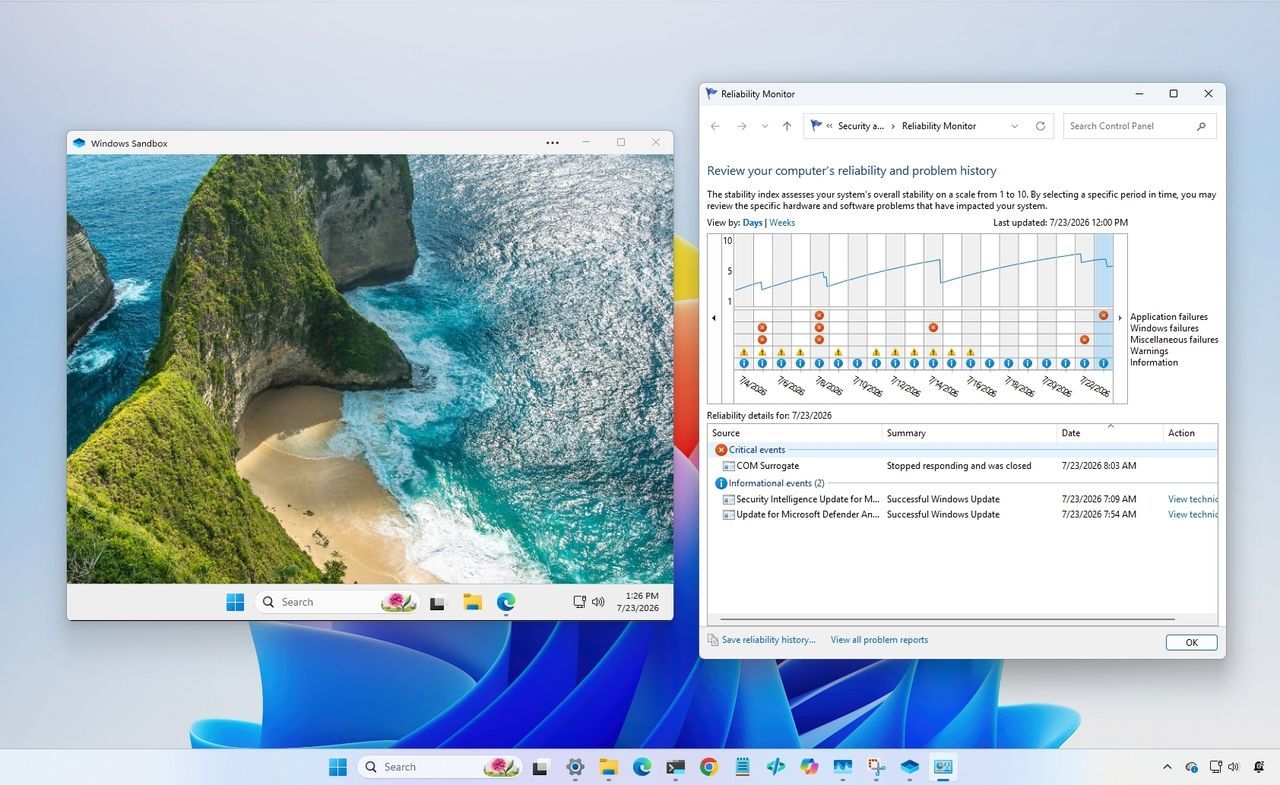
When a system experiences instability, troubleshooting can be an endless cycle of digging through logs. The Reliability Monitor offers a streamlined timeline that clearly presents crashes, failed updates, driver errors, and application issues in an easily digestible format.
Instead of guessing which update or driver caused the problem, this tool points directly to the root cause, saving significant time and avoiding unnecessary, frustrating troubleshooting loops.
Testing Safely with Windows Sandbox
For users who frequently encounter untrusted software, testing unknown applications on their main system poses a risk. Windows Sandbox provides a disposable, temporary environment—a clean, isolated space where you can safely open suspicious files or test new settings without leaving any lasting footprint.
While limited in scope, this sandbox offers a critical safety net, allowing users to experiment with software and scripts in an environment that disappears when closed, offering peace of mind while remaining within the confines of the operating system.
These features demonstrate Microsoft’s commitment to building a powerful, functional OS. The real innovation lies not just in introducing new hardware features, but in quietly weaving these practical, workflow-enhancing tools into the fabric of Windows 11, waiting for users to discover their potential.
Buy on Amazon
Credit
