Watch band locks your laptop lid
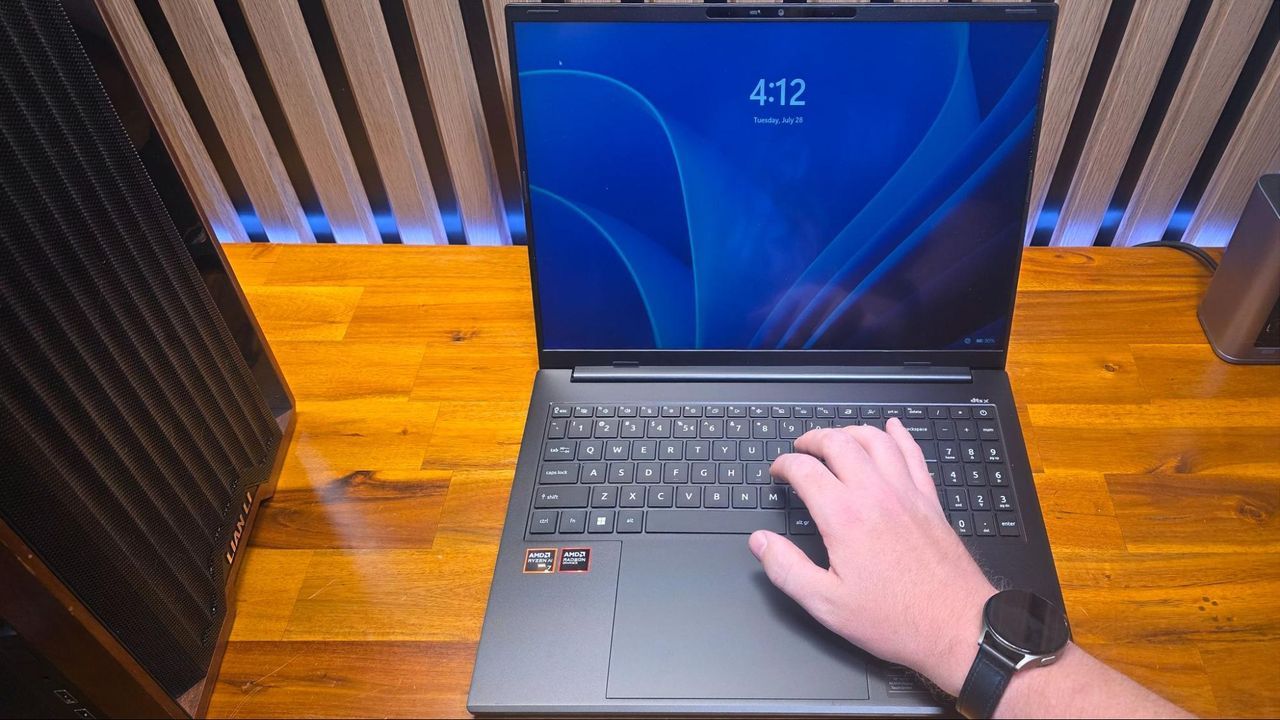
We all love the feeling of owning a sleek, powerful piece of technology. When you invest in a new machine—like Acer’s Swift Go 16 AI—you expect seamless performance and durability. Yet, sometimes the most frustrating bugs emerge not from faulty code or overheating, but from something far stranger.
For one user experimenting with the new laptop, the mystery began subtly. Despite its svelte design, this mid-range portable system seemed to have a peculiar glitch. Whenever they attempted to type, the screen would briefly go black before they were abruptly kicked back to the Windows lock screen. Initially dismissed as a minor annoyance, it persisted, suggesting something more serious was at play.
When internal troubleshooting failed—resets and system diagnostics yielded no results—the user sought help from Acer. Company engineers suspected a software conflict, suggesting a system reset, but the baffling behavior continued. The problem seemed stubbornly hardware-related, prompting the user to investigate further.
After some dedicated experimentation, the user began to explore physical possibilities. They tested interactions with the laptop’s touchpad and discovered that the issue could sometimes be triggered by barely touching the device. This led them to hypothesize an electrical fault, ultimately pointing toward a strange sensitivity in the device’s mechanisms.
The investigation took an unexpected turn when a colleague, a lab tester, casually suggested, “I think it might be your watch.” This seemingly random observation provided the key to unlocking the mystery. The user realized that the laptop’s screen was reacting to magnetism in a way that was entirely unrelated to software.
The breakthrough revealed a design quirk: the laptop featured a lid sensor that relied on a magnet embedded in the upper-right bezel to detect when the device was closed. This sensor, coupled with magnetic triggers in other areas of the chassis, could be fooled by external magnets. When the user tested this theory, they found that wearing a magnetic watch band—which has a magnetic clasp—on their wrist, especially near the lower right edge of the laptop, could easily trigger the sensor.
The solution was surprisingly simple: it wasn’t a flaw in the laptop itself, but an unfortunate intersection of design and external accessories. The issue only manifested when wearing a watch band with a magnetic clasp near the lid sensors. This phenomenon has been documented across various devices, including discussions on forums for Apple, Dell, Acer, and Reddit.
Fortunately, this isn’t an isolated incident. While specific models might behave differently, there are numerous instances where external magnets—such as watch bands or magnetic accessories—have caused similar issues with other laptops. This suggests that while the Swift Go 16 AI experienced a frustrating initial hiccup, it wasn’t dealing with a unique defect.
So, what should we do when these curious magnetic interactions occur? The options are clear and practical. Users can choose to opt for non-magnetic watch bands as the simplest fix. Another strategy is adapting one’s routine by wearing smartwatches on the opposite wrist, which can mitigate the effect. Finally, if the issue persists and causes undue frustration, returning the device for a replacement remains a valid option.
The takeaway is that while technology aims for seamless integration, sometimes the most bizarre bugs emerge from overlooked physical design details. But with this knowledge, users can navigate these unique hardware quirks with confidence, ensuring their powerful laptops remain reliable and worry-free.
Buy on Amazon
Credit
