Windows 11 26H2 updates for Start Menu, Taskbar & Search this fall
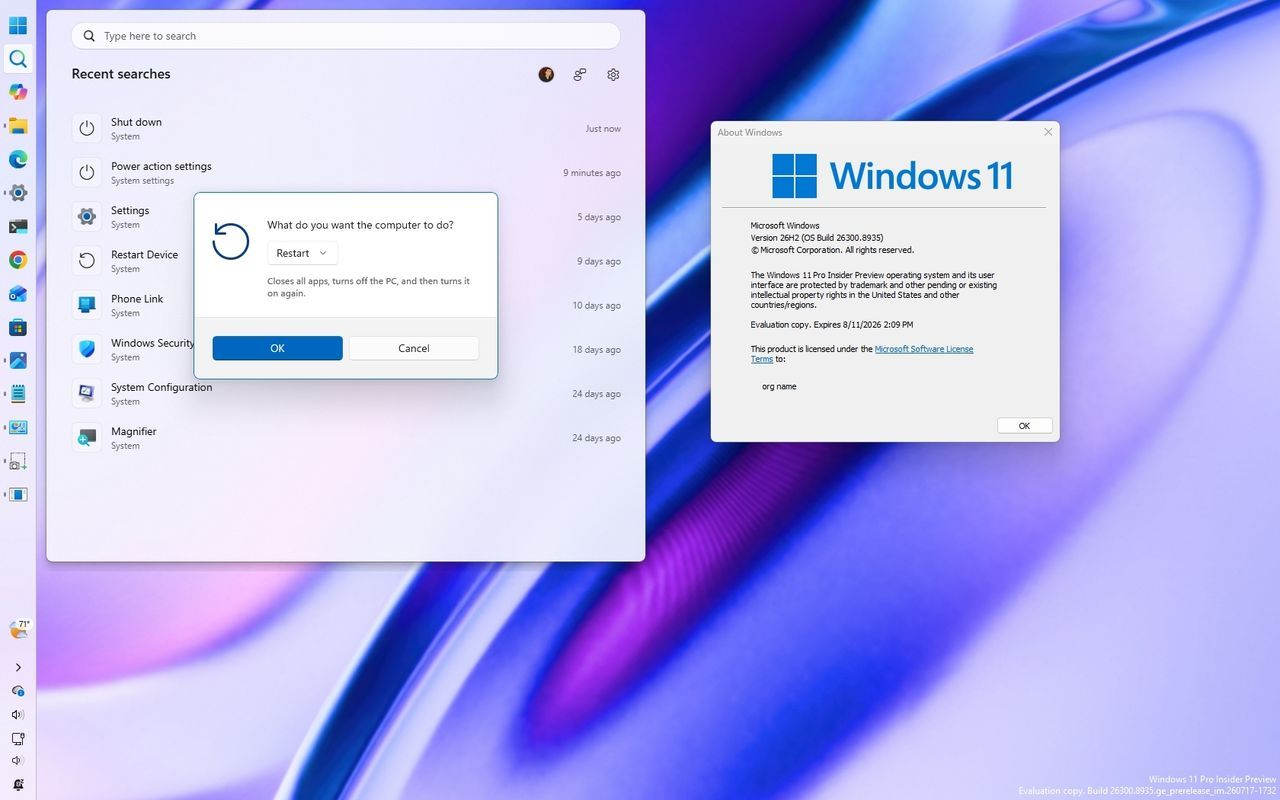
For years, Windows 11 promised a modern aesthetic, but for many users, that promise came with a compromise. While the operating system updated with visual flair, fundamental elements—the Start menu, the Taskbar, and Windows Search—remained frustratingly rigid. Lately, however, Microsoft has listened, rolling out improvements in version 26H2 that focus not on dramatic overhauls, but on restoring long-requested customization and control for the experiences millions of people interact with every day.
This update isn’t about a complete visual revolution; it’s about fine-tuning. Microsoft has been quietly adding flexibility to three core parts of the operating system, tackling the complaints about forced layouts and limited personalization that plagued previous versions. It seems the focus is squarely on giving users more choice rather than dictating a single way to operate their computers.
One of the most immediately welcomed changes focuses on the Taskbar. In earlier iterations of Windows 11, users were locked into a fixed position for the taskbar, removing the ability to place it along the top, bottom, left, or right edges of the screen. Version 26H2 finally brings this functionality back, allowing users to position the bar exactly where they prefer.
This freedom comes with brilliant context-aware design. When the Taskbar is positioned at a specific edge, the interface intelligently adjusts. For instance, placing it at the top causes the Start menu and Search to seamlessly open downward from that edge, ensuring system tray icons and the clock all reposition perfectly. Users can fine-tune this layout within Settings > Personalization > Taskbar > Taskbar behaviors, complete with a live preview of every layout.
Further refinements have addressed physical constraints. The Taskbar is no longer limited by a fixed height optimized for touch devices; users can now choose a smaller size without sacrificing functionality. This change also impacts the icons themselves, making them more manageable when space is at a premium.
The Start menu has also undergone significant personalization. Instead of forcing a layout based purely on screen dimensions, Windows 11 now offers multiple preset size options for the Start menu. But the real win is in control: users can now decide exactly which sections they see—choosing whether to display Pinned, Recent (formerly Recommended), or All files. This gives individuals the power to declutter their interface exactly how they want it.
Beyond layout control, Microsoft is adding valuable privacy tools. A new setting allows users to hide their account name and profile picture when sharing their screen during meetings or live streams, offering a much-needed layer of discretion for professional settings.
Finally, Windows Search has been completely revitalized. The Search home page has shed the noise of trending topics and now centers entirely on your recent queries, making it easier to jump back into previous searches without visual clutter. More importantly, the results themselves are smarter: web results are no longer prioritized over local content. Search now intelligently ranks apps, settings, and files higher than web suggestions, ensuring that when you ask a question, you find the answer faster.
By focusing on these tangible improvements—flexibility in positioning, control over navigation, and highly relevant search—Windows 11 version 26H2 proves that the software giant is truly listening. It’s a subtle shift, but one that delivers a much more personalized, intuitive, and ultimately more user-friendly operating experience.
Buy on Amazon
Credit
