
Notchify brings Dynamic Island flair to Windows 11
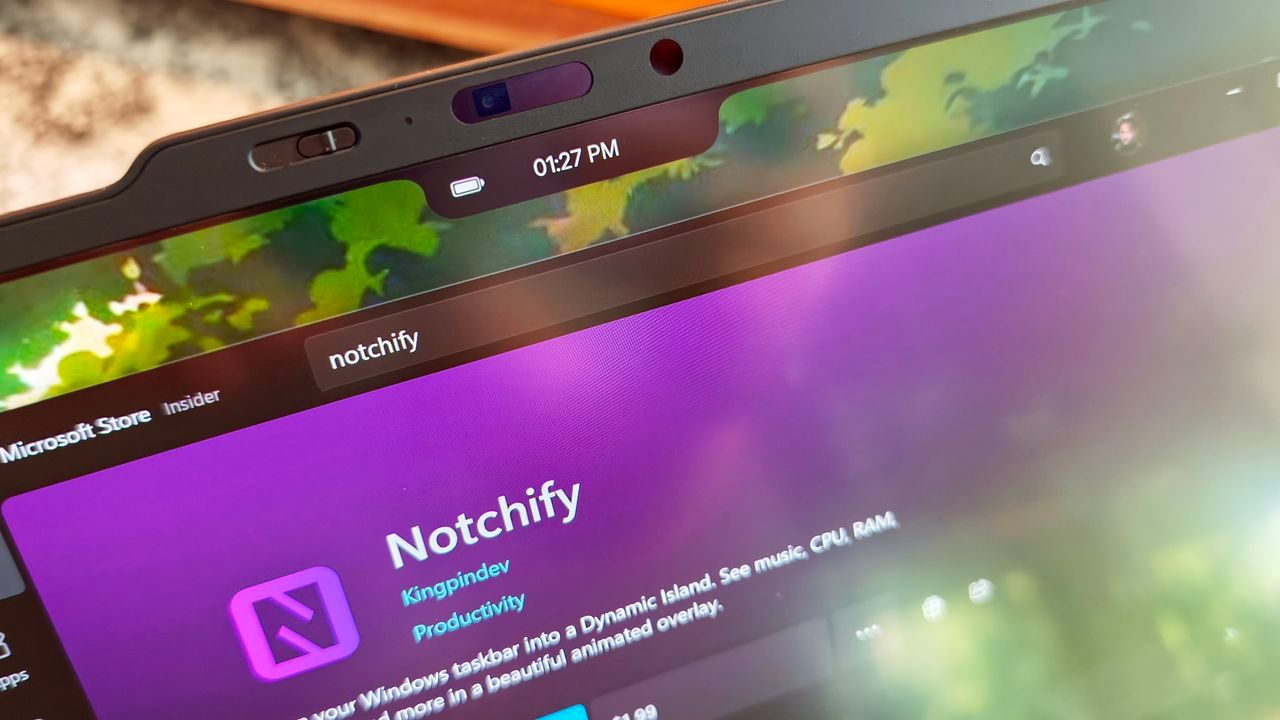
The Indie App That Tamed the Notch: How Notchify Revolutionized PC Workflow
For many of us, the notch design on modern smartphones feels less like innovation and more like an unnecessary marketing trick. It’s an intrusion that compromises screen real estate, yet it remains stubbornly popular. This skepticism was precisely why the sudden appearance of a Windows application called Notchify on Reddit caused immediate curiosity: why would anyone want to replicate this visual quirk on a desktop?
But curiosity ultimately won out. After downloading the application from the Microsoft Store and trying the free trial, the experience shifted from skepticism to surprise. Notchify doesn’t just acknowledge the notch; it transforms it into a genuinely useful hub for PC users.
A Centralized Hub for Critical Information
At its core, Notchify is a surprisingly elegant utility. Instead of being a mere visual artifact, the app creates a customizable “fake” notch or island at the top of the screen that serves a practical purpose. It allows users to display essential information—including notifications, media playback controls, weather, battery status, timers, and microphone indicators—all in one concentrated spot.
Beyond basic display, the app features extensive customization. Users can toggle between Island (disconnected) and Notch (connected) modes, select which monitor the element appears on, and manage startup behavior. The settings are designed to be intuitive, offering options to adjust themes, blur effects, and the behavior of visual popups during volume or brightness changes.
The real magic lies in the Widgets section, where users can mix and match small elements—like battery displays and time—or combine them with larger items such as calendars, weather forecasts, and media playback controls. When activated, the area acts as an “always on top” hub that expands with the information you select, centralizing data that often forces us to constantly scan the corners of a large display.
While the animations might be slightly janky, the overall result is clean, modern, and surprisingly polished for an independent project. It successfully addresses a genuine pain point: managing critical, context-sensitive information without demanding constant visual attention.
The Power of Community-Driven Development
The success of Notchify isn’t just about clever design; it’s about the strength of its community. The development process highlights how constructive feedback can drive innovation. For example, an analysis posted by a community member helped developers identify and fix performance issues related to CPU usage, resulting in a smoother and more efficient application for all users.
This interaction demonstrates a key truth about indie development: real-world user input provides the roadmap for growth. Instead of simply receiving complaints, developers received actionable data that led directly to optimization, proving that collaboration can turn feedback into tangible progress.
Notchify proves that exceptional functionality doesn’t always require a massive corporate budget. It stands as a testament to the power of an individual developer leveraging community insight to create something genuinely helpful. If you are looking for a small, clever utility that quietly improves your PC workflow and offers more flexibility than traditional operating system features, taking the free trial is a worthwhile experience.
Credit

