
Windows 11 taskbar movement finally restored
Windows 11 Insider: Sneak Peek at a Smarter, More Customizable Operating System
The ongoing evolution of Windows 11 is more than just incremental updates; it’s a deliberate push toward refining the user experience. For those of us tracking the development cycle, the latest Insider Preview builds are packed with features designed to make the operating system feel less rigid and far more intuitive. With the newest releases offering major overhauls to core elements like the taskbar and search functionality, users can anticipate a significant step forward in how we interact with our PCs.
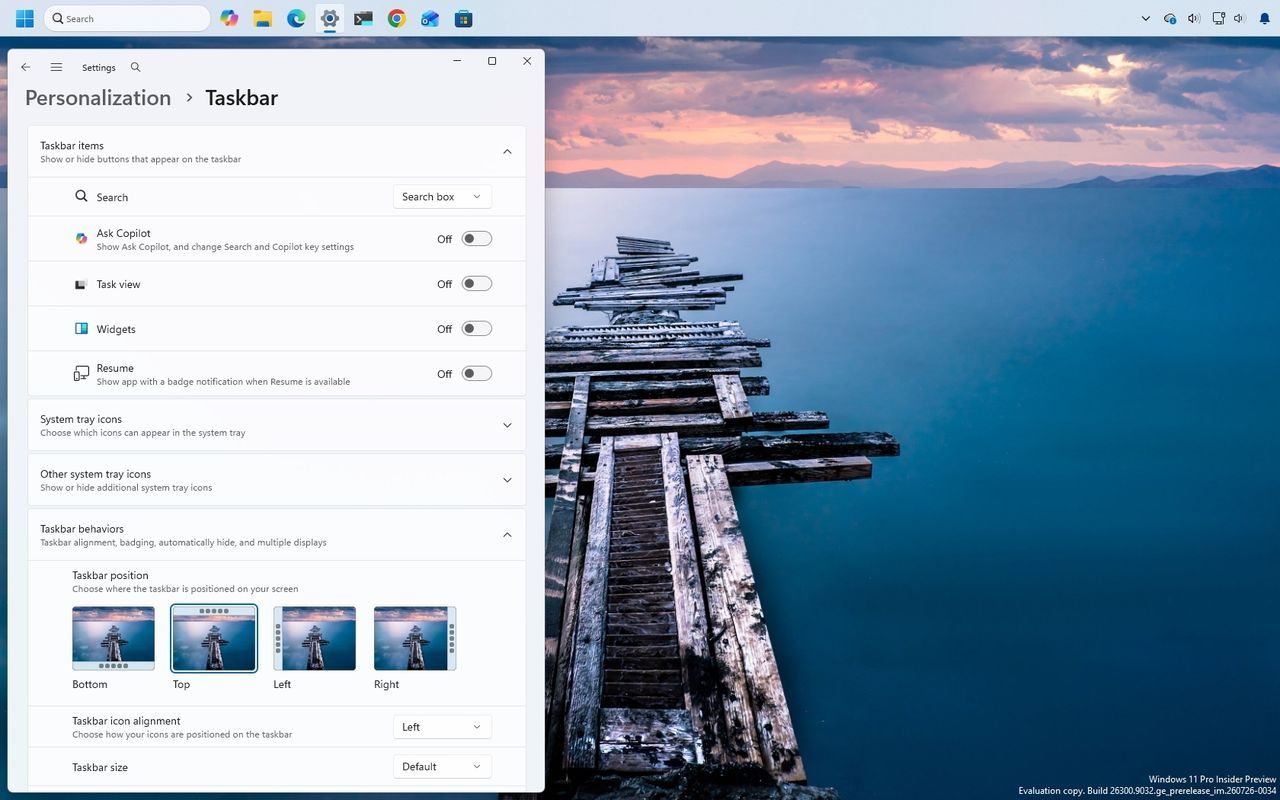
One of the most immediate and tangible changes focuses on screen real estate. Users are finally getting control over where their taskbar resides, with options to position it at the top, bottom, left, or right sides of the display. Furthermore, for those working on smaller screens, a new option allows the taskbar to shrink, minimizing icon size and height while still keeping essential features like Start, Search, and the system tray easily accessible.
Beyond spatial adjustments, Microsoft is making personalization deeper than ever. The Start menu is receiving a makeover, offering users a choice between small, large, or the familiar automatic layout. Personal touchpoints are also being integrated, allowing users to hide their name and profile picture for added privacy, and the “Recent” section has been smartly renamed to “Recent” across the system.
The improvements extend deep into core operations. Windows Search is getting a serious boost, focusing on making results more dependable and transparent. It now provides clearer context, showing users exactly where a result originates—whether it’s an app, file, or web suggestion—making the search process faster and less cluttered.
File management has also received attention, with File Explorer now loading faster and offering enhanced navigation features. The “Home” section now supports touch scrolling, greatly improving the experience for browsing large collections of files in a more fluid way.
Under the hood, stability is also being prioritized. Developers have focused on general design consistency by implementing updated progress indicators that provide a smoother, more modern feel during all system activities, from startup to updates. Crucially, new security measures are rolling out, including “Administrator protection,” which uses just-in-time privileges to harden the system against elevation-of-privilege attacks.
Finally, for power users and enterprise settings, changes like the removal of the legacy Windows Management Instrumentation Command-line (WMIC) utility mark a shift toward modern system architecture. These ongoing updates demonstrate Microsoft’s commitment to evolving Windows 11 into an environment that is not only powerful but also deeply tailored and highly responsive.
Buy on Amazon
Credit

