5 must-have Windows 11 apps from Reddit and readers
Beyond the Basics: Six Essential Apps That Supercharge Your Windows 11 Experience
Setting up a new operating system is exciting, but transitioning to Windows 11 doesn’t mean you have to settle for the default experience. For many users, the real magic lies in optimizing the system—finding tools that streamline workflows, enhance aesthetics, and ultimately make daily computing feel intuitive and powerful. After diving into the vast community discussions on Windows Central and Reddit, a collection of must-have applications emerged that turn Windows 11 from a functional tool into a finely tuned personal workspace.
These recommendations focus on apps that either replace clunky native Microsoft features or introduce innovative solutions that dramatically improve productivity and system control. Whether you are aiming for a cleaner desktop, faster task switching, or better cross-device file management, these tools provide significant upgrades.
One essential cornerstone is PowerToys, a utility that effectively steps in to replace several cumbersome Microsoft tools, offering deep customization and control over your operating system experience.
For those who prioritize a visually pleasing environment, features like Auto Dark Mode are game-changers. It addresses a common frustration by automatically managing your screen theme, ensuring that your PC transitions smoothly into dark mode after sunset, something Windows often leaves as an afterthought.
Productivity thrives when distractions are minimized, which is why tools like EarTrumpet are so highly recommended. This application gives users granular control over the volume of both system sounds and application sounds, allowing for precise control without needing to hunt through complex settings menus.
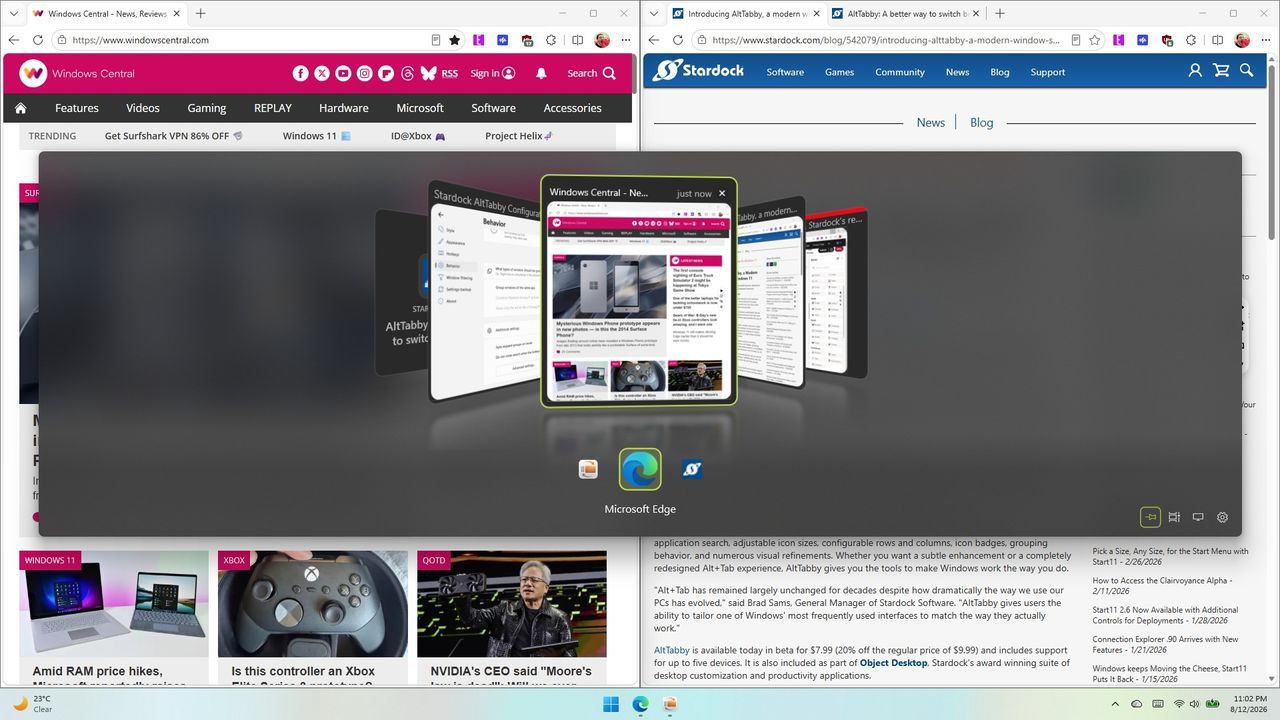
Task management is another area where significant improvements can be made. The default Alt+Tab function, while functional, can be limiting. Apps like AltTabby revolutionize this by offering customizable views and the ability to learn your frequently used applications, keeping essential tools instantly accessible.
Cross-device file sharing also demands modern solutions. Blip steps in as a fantastic alternative to AirDrop, providing seamless file transfer capabilities that work effortlessly across Windows, iOS, and Android devices.
Finally, for users who miss the classic Windows interface elements, applications like Calendar Flyout bring back intuitive features, allowing users to access their calendar events and create new entries without needing to switch applications.
These selections demonstrate that the power of Windows 11 is amplified exponentially when you layer on smart, community-driven software. By incorporating these apps, you move beyond simply using the operating system and start truly mastering it, transforming your daily interaction with your computer into a smoother, more enjoyable experience.
Buy on Amazon
Credit
