Chuwi UniBook vs MacBook Neo and Dell XPS 13 Review
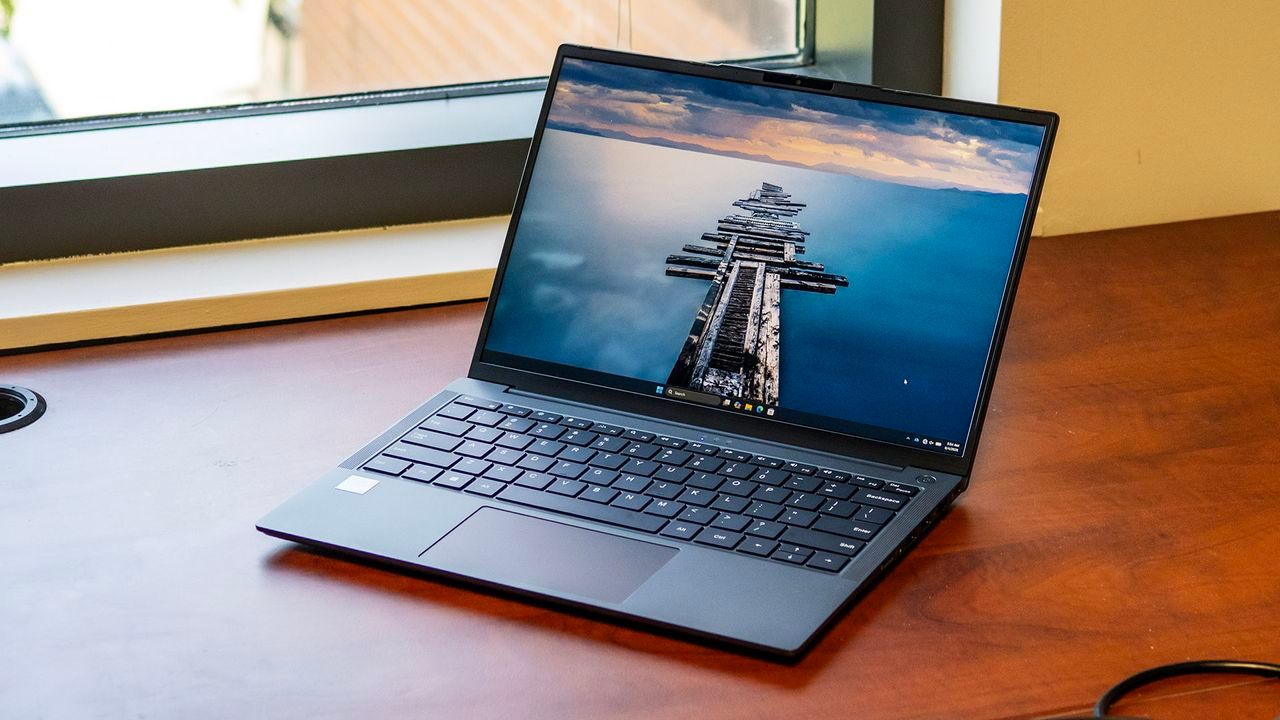
The quest for a premium laptop under $500 is a perennial challenge, a battle often lost against rising component costs. Yet, when Chuwi introduces the UniBook at $449, it puts itself squarely in the arena, promising a blend of modern aesthetics and useful specifications. It looks like a bargain, but as we dig into the details, we find that the true cost of this budget entry often lies not in the sticker price, but in the compromises made on performance, display quality, and long-term experience.
Aesthetically, the UniBook makes a strong first impression. Clad in a sleek aluminum alloy, it manages to look more expensive than its price tag suggests, boasting a clean, modern profile. With a slim 0.65-inch profile and a weight of just 2.64 pounds, it packs down easily into any bag. It successfully blends into the ultraportable category, appealing to those who prioritize a minimalist, refined look.
But aesthetics are only half the story. Chuwi has clearly prioritized connectivity, offering a far more comprehensive port selection than many of its competitors. Rather than sacrificing ports, the UniBook equips its chassis with two USB-C 3.2 Gen 1 ports (both supporting power delivery and DisplayPort), three USB-A ports (including a 2.0 version), HDMI 1.4b, Gigabit Ethernet, and even a microSD card slot. This robust setup allows users to connect a wider array of peripherals without needing extra dongles—a feature often neglected in thinner, lighter designs.
Internally, the machine is powered by an Intel Core 3 304 processor, paired with 8GB of LPDDR5-6400 memory and a 256GB SSD. While perfectly adequate for basic tasks like web browsing and document editing, performance testing reveals a clear gap when compared to its premium rivals. Laptops like the Dell XPS 13 and the MacBook Neo, which command a higher price, feature significantly more powerful processors and superior hardware architecture, resulting in much higher scores in multi-core tasks and file transfer speeds.
For heavy lifting, the difference is stark. Benchmarks show that the UniBook’s processor trails behind the specialized chips in higher-end models. Furthermore, tasks requiring sustained performance, such as video editing or complex rendering, show the limitation of the system’s configuration. While daily use is smooth, power users will quickly find that the single performance core and limited RAM of the UniBook place it firmly in the realm of casual use rather than intensive productivity.
The visual experience is another area where the budget constraints show. The 14-inch display, while featuring IPS technology for good viewing angles, struggles with color vibrancy and contrast. Colors appear muted, and the overall brightness is adequate only for indoor use. For those seeking rich, punchy visuals—especially for creative work—this screen is a noticeable compromise. It falls short of the color gamut offered by more expensive options.
The tactile experience is generally positive. Chuwi opted for a thoughtful design on the input devices. The keyboard offers a welcome white backlight, enhancing visibility, and the key travel is comfortable. However, the touchpad, while accurate, features a mechanical click mechanism that can be surprisingly loud in quiet settings. Audio performance also falls short; speakers are thin, lack bass, and are best utilized when the laptop is on a hard surface, making multimedia consumption a less immersive experience.
Despite these experiential trade-offs, the UniBook manages to deliver on key practical metrics. Its battery life is genuinely impressive, achieving a runtime of 14 hours and 14 minutes during typical usage, effectively competing with premium options. Furthermore, the design allows for reasonable upgradeability, with access to changeable components like the M.2 SSD and battery. While the hardware is serviceable, the ultimate takeaway remains: for those prioritizing raw performance, screen fidelity, and long-term peace of mind, stretching the budget for machines like the Dell XPS 13 or MacBook Neo is often the safer, more rewarding investment.
Buy on Amazon
Credit
