Cloud reset Windows 11 Insiders bypasses boot issues no USB needed
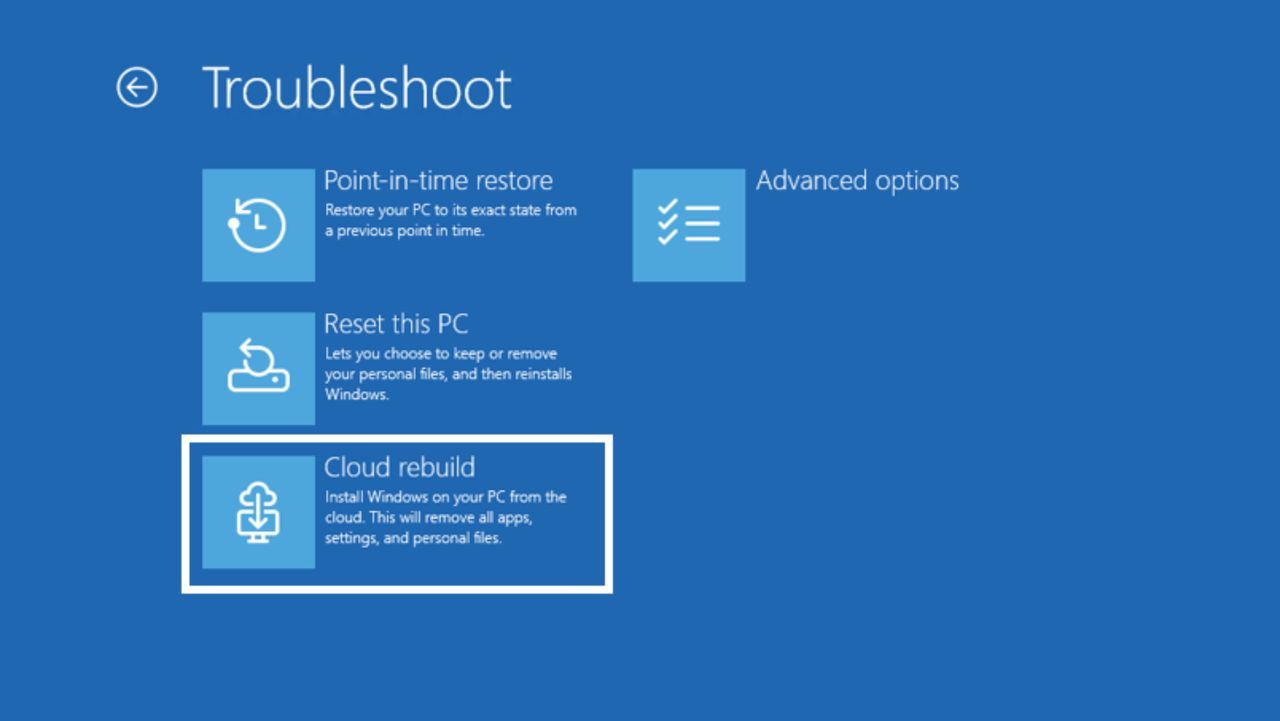
Cloud Rebuild Arrives: Windows 11 Gets a Serious Upgrade for Troubleshooting
When you’re tinkering with operating systems and software, you eventually run into the inevitable frustrations: a corrupted partition, stubborn boot issues, or the lingering fear that malware has tucked itself deep into the system files. For many users, the traditional Windows Reset options simply don’t offer the deep, clean slate a technical diagnosis often requires.
However, a significant development in the world of Windows 11 is bringing a powerful new recovery tool to the table, promising a faster, cleaner path back to functionality. The latest Windows 11 Beta Preview Build, version 26220.9343 for Insiders, has introduced the highly anticipated option: Cloud Rebuild.
This isn’t just another incremental update; it’s a recovery method designed to restore a Windows 11 PC to a completely clean, known-good state, even when the operating system refuses to boot normally. The magic of Cloud Rebuild lies in how it bypasses traditional limitations.
Unlike standard options that rely on local media or custom images, Cloud Rebuild handles the heavy lifting remotely. It downloads both the necessary target Windows image and the device’s required drivers directly from Windows Update. This means you can achieve a fresh installation without needing to deal with USB media or custom files, and without having to worry about the health of the currently installed, potentially compromised, operating system.
Imagine facing a system issue where you are stuck. Instead of spending hours preparing a USB drive or hunting for specific installation files, Cloud Rebuild offers a streamlined solution. It ensures the system comes back fully functional, clean, and operating on the most reliable foundation possible.
This feature addresses a major pain point for power users and troubleshooters. If you suspect your Windows partition is corrupted or worry about embedded malware, having a robust method to initiate a truly fresh OS reinstall is crucial. Cloud Rebuild provides that assurance, offering a way to wipe and restore with minimal hassle.
While many users will still utilize the standard Reset this PC function for routine cleanups, Cloud Rebuild provides a critical safety net for those facing complex boot issues. It ensures that deep recovery options are available directly within the recovery environment, further streamlining the diagnostic and repair process.
This development gives a sense of confidence that Microsoft is actively focused on refining the operating system experience. It signals a newfound commitment to improving Windows 11 in ways that genuinely enhance performance and reliability for everyone.
Buy on Amazon
Credit
