DLSS 5 mod offloads rendering to boost AI filter performance
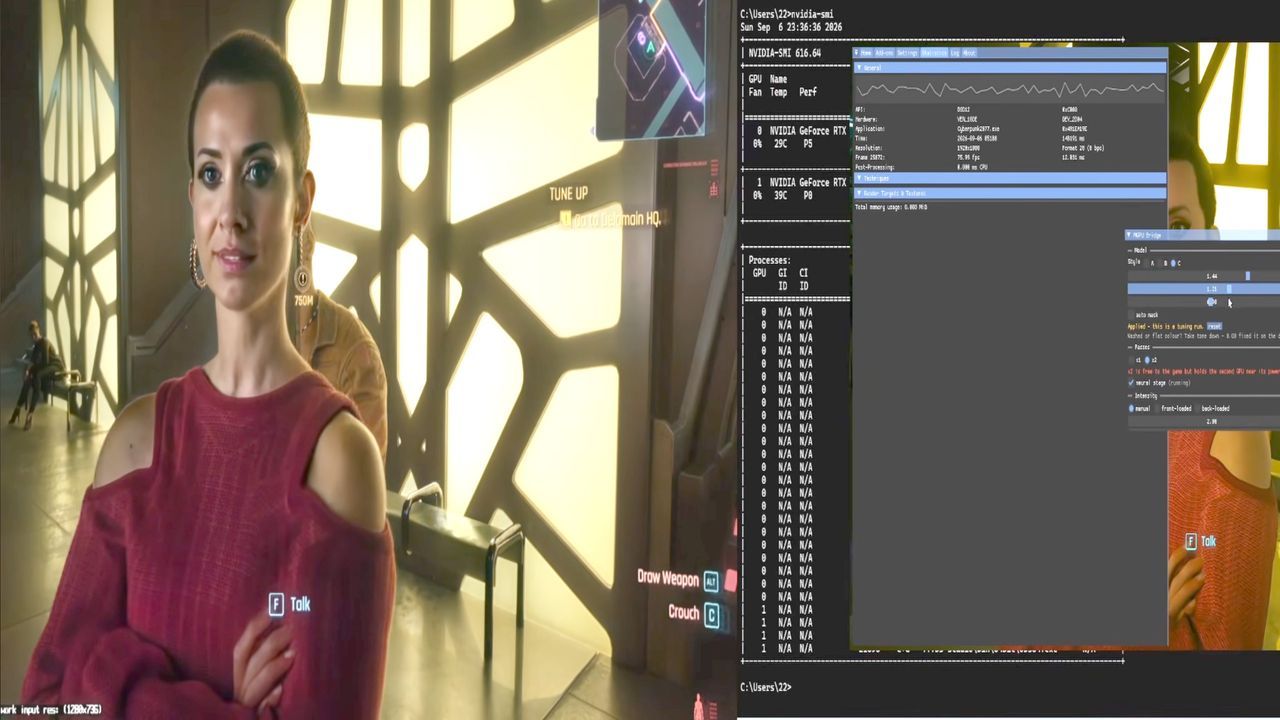
When developers unleash features like DLSS Neural Rendering, the immediate response is often a gasp followed by a groan. In the world of high-end graphics, that groan usually translates into a massive performance hit—a hefty 50 to 60 percent drop in frame rates. It’s a trade-off many players are expected to accept when they opt for the magic of AI image enhancement. But what happens when you realize that the clever AI enhancements themselves become the bottleneck?
Enter the realm of community innovation, where a developer has decided to vibe-code a solution. Instead of simply accepting the performance penalty, a modder has engineered a method to offload the demanding Neural Rendering workloads onto a second graphics card, almost completely negating the performance hit. This ingenious workaround opens up exciting possibilities for future AI-driven rendering.
The core idea is brilliant in its simplicity: if the neural post-processing is so demanding, why let the main rendering GPU handle the entire load? The developer, Marcelo Guibout, created a ReShade add-on file that acts as a Neural Coprocessor bridge. This tool allows a secondary GPU—such as an RTX 5060 Ti 16 GB—to handle the final rendering pass. This effectively frees up the primary GPU to focus solely on rendering the game, creating a genuine performance boost.
This approach tackles the saturation problem head-on. As Guibout points out, the neural stage immediately eats up device capacity. By moving the neural processing to a separate card, the render GPU is genuinely freed up, allowing the game engine to operate more efficiently. It’s a sophisticated piece of load balancing that turns a performance penalty into a strategic asset.
While the concept is sound, implementing this isn’t without its fine print. This remains a research-and-development tool, not a plug-and-play solution. The implementation works by handling the final frame after the initial rendering is complete, meaning the secondary GPU must be tightly integrated into the post-processing pipeline. It doesn’t rely on the same deep depth and motion vector information as official Nvidia implementations, requiring a careful, nuanced approach.
The practicalities introduce some clear hurdles. To utilize this powerful setup, users need significant hardware—specifically, a pair of capable GPUs, like two RTX 5060 Ti 16 GB cards, pushing the total silicon cost well into the high-end territory. Furthermore, the setup requires more than just powerful hardware; it demands a second monitor, as the neural output is displayed by the dedicated processing card. It’s a sophisticated solution, but it requires a significant investment in cutting-edge silicon.
Despite these practical caveats, this development signals a powerful shift in the landscape. As the community takes the reins in modding and development, they are pushing the envelope beyond official releases. This kind of independent innovation ensures that the future of AI rendering won’t be dictated by a single entity, but by a spectrum of ingenious, hardware-aware solutions. It reminds us that sometimes, the best way to defeat a performance penalty is to think outside the box—and use a second GPU.
Buy on Amazon
Credit
