
Essential Windows 11 changes in July for your PC
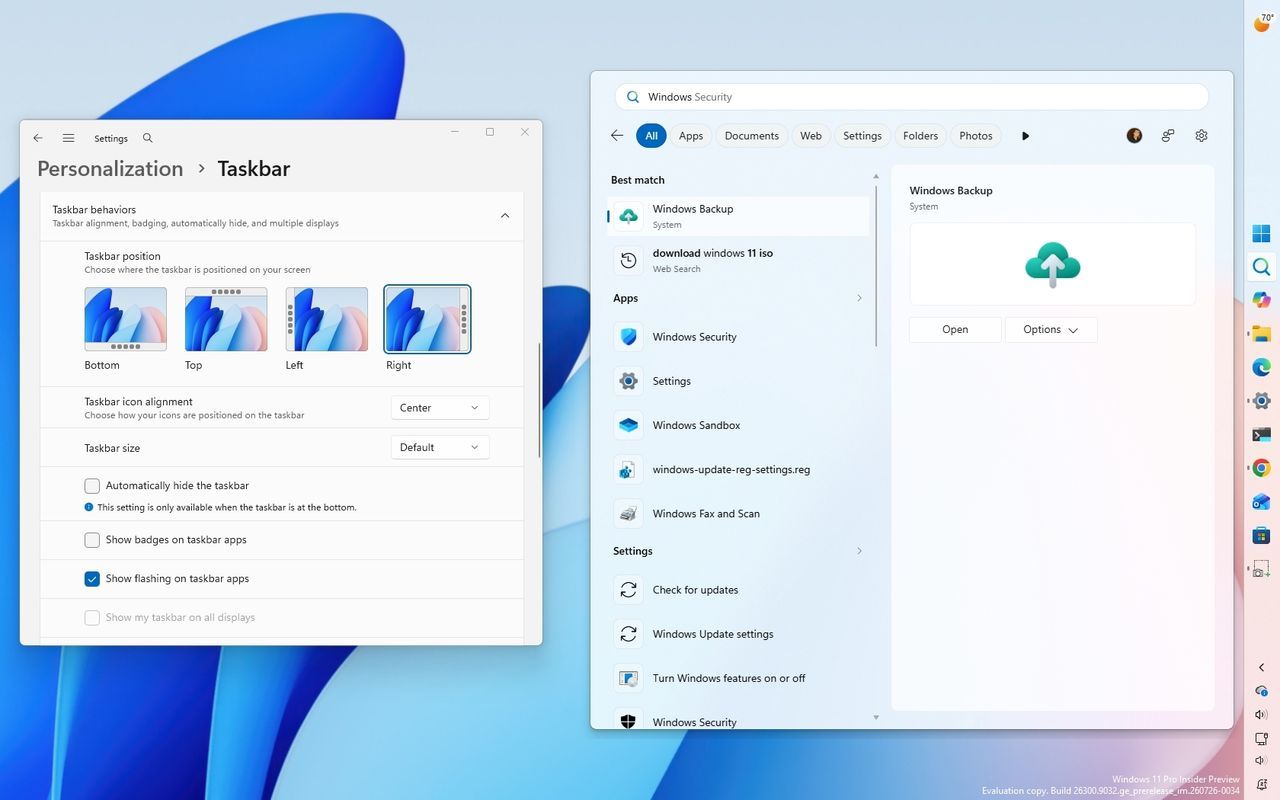
As July draws to a close, the Windows 11 Insider Program has been busy delivering a host of enhancements and refinements, pushing the operating system forward with subtle but impactful upgrades. While many of these changes are being rolled out across different channels like Beta and Experimental, they signal Microsoft’s ongoing commitment to making Windows not just functional, but truly intuitive and personalized.
These recent updates aren’t just small tweaks; they represent a significant push toward streamlining core interactions, from how you search for files to how you manage your system settings. Across the board, users are seeing improvements that enhance productivity, offer deeper control, and introduce exciting new ways to interact with their devices.
One of the most noticeable shifts is in how Windows organizes information. The Windows Search function has received a major boost, introducing the ability to automatically find and search across other folder locations based on your recent activity. This feature, labeled “Automatically find additional relevant locations,” helps users locate files instantly without needing constant manual indexing, making file hunting significantly easier.
The Start menu itself has been given a much-needed makeover. Users can now customize the experience by adjusting the size of the menu and choosing which sections appear, giving personal control over their primary navigation. Furthermore, Microsoft has updated the Account Control flyout to adopt a more modern design, conveniently surfacing account benefits and storage details directly, offering a centralized hub for managing your Microsoft account.
Productivity gains are also evident in File Explorer. Performance has been noticeably improved, especially when dealing with large or fragmented files. The system now handles file deletion faster, and users benefit from improved touch scrolling on the Home page’s “Recommended” section, making browsing truly seamless.
Interaction with the system has also been refined through various channels. New gesture controls have been introduced for Precision Touchpads, allowing users to fine-tune scroll and zoom speeds, and offering accelerated scrolling that lets you move through long documents at lightning speed. Meanwhile, updates to Widgets have brought visual freshness, including updated animated icons that better reflect system accent colors.
For those managing notifications, the Phone Link companion now allows for a smoother experience by letting users hover over recent messages or notifications in the Start menu previewing content instantly, enhancing communication flow without extra steps.
Beyond visual refinements, deeper system controls have been introduced. Users can now adjust Taskbar positioning to sit at the top, left, right, or bottom of the screen, offering flexibility in workspace layout. There is also a new option to make the Taskbar smaller, giving users more control over their desktop real estate.
In the realm of system stability and security, Microsoft is implementing changes that reduce disruption. A unified update experience now coordinates driver, .NET, and firmware updates, consolidating them into a single monthly reboot instead of multiple interruptions. This shift aims to make Windows Updates less disruptive for the end-user.
Finally, cutting-edge features are entering the fold, such as improvements to accessibility via Narrator and support for HID-compatible Braille displays. Additionally, experimental builds are exploring advanced concepts like Voice Isolation for Voice Access, which utilizes on-device processing to filter background noise and improve speech recognition in noisy environments.
These ongoing Insider updates demonstrate Microsoft’s momentum in evolving Windows 11. While the process is iterative, these features showcase a continuous drive toward a more cohesive, faster, and more adaptable operating environment for everyone who uses it.
Buy on Amazon
Credit

