
Need this Game Bar widget for non-Xbox games on Windows 11
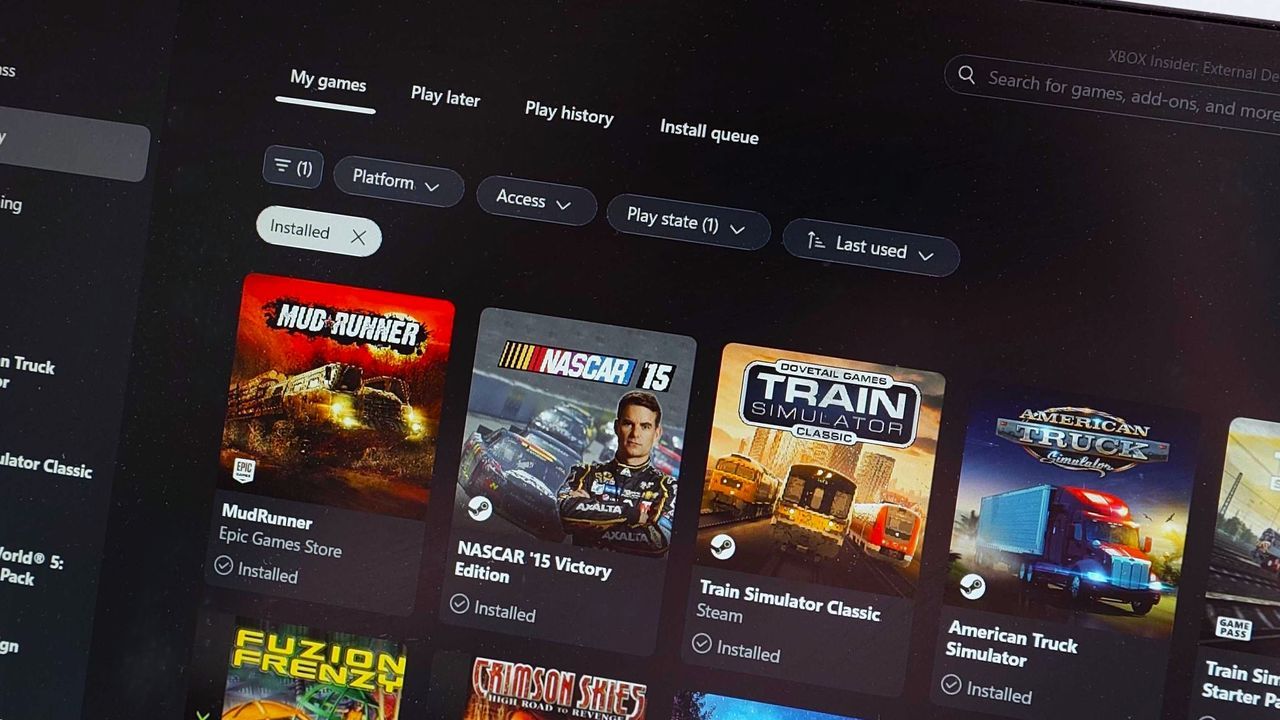
When you dive into the world of handheld gaming PCs, whether you’re using a Steam Deck or an Xbox Ally, aesthetics matter. You want a clean library, but sometimes the artwork pulled into your system can be downright disappointing. That’s where the quest for visual perfection begins.
For those leveraging the flexibility of Linux-based systems like SteamOS, a foundational step is often installing powerful tools like Decky Loader plugins. Among these essential utilities, one stands out for enhancing library presentation: SteamGridDB.
The core issue arises when users try to unify their game library across different platforms. While convenience is king—launching games from the Xbox App allows seamless access to titles from Steam, Epic Games, and Ubisoft—the visual payoff is often lacking. The default icons pulled into these launchers frequently end up being low-resolution and uninspired.
SteamGridDB steps in as the ultimate aesthetic fix. It allows users to select custom artwork for their games, effectively elevating older titles to match the high standards set by content acquired directly through the Xbox ecosystem.
Unlike a typical application, SteamGridDB operates as a Game Bar widget, offering a streamlined way to manage visual changes within Windows 11. This approach provides an ingenious workaround, allowing customization without complex system modifications.
The process is surprisingly simple: select a game, find the artwork, and apply it. While the selection pool might be slightly smaller than on SteamOS, the result is always worth the effort. It transforms those lackluster low-res icons into vibrant, high-quality visuals.
This solution is particularly potent for handheld gaming setups. Whether you are working on a desktop PC or utilizing a device like the Xbox Ally or Lenovo Legion Go series, maintaining a clean and visually pleasing library becomes effortless. SteamGridDB makes library management feel less like administrative work and more like visual curation.
By turning those system defaults into personalized art pieces, users gain control over their gaming environment. It’s a simple adjustment that delivers a significant upgrade: a cleaner library and a much more satisfying experience for every game you launch.
Buy on Amazon
Credit

