Microsoft fixes Windows 11 customization problems
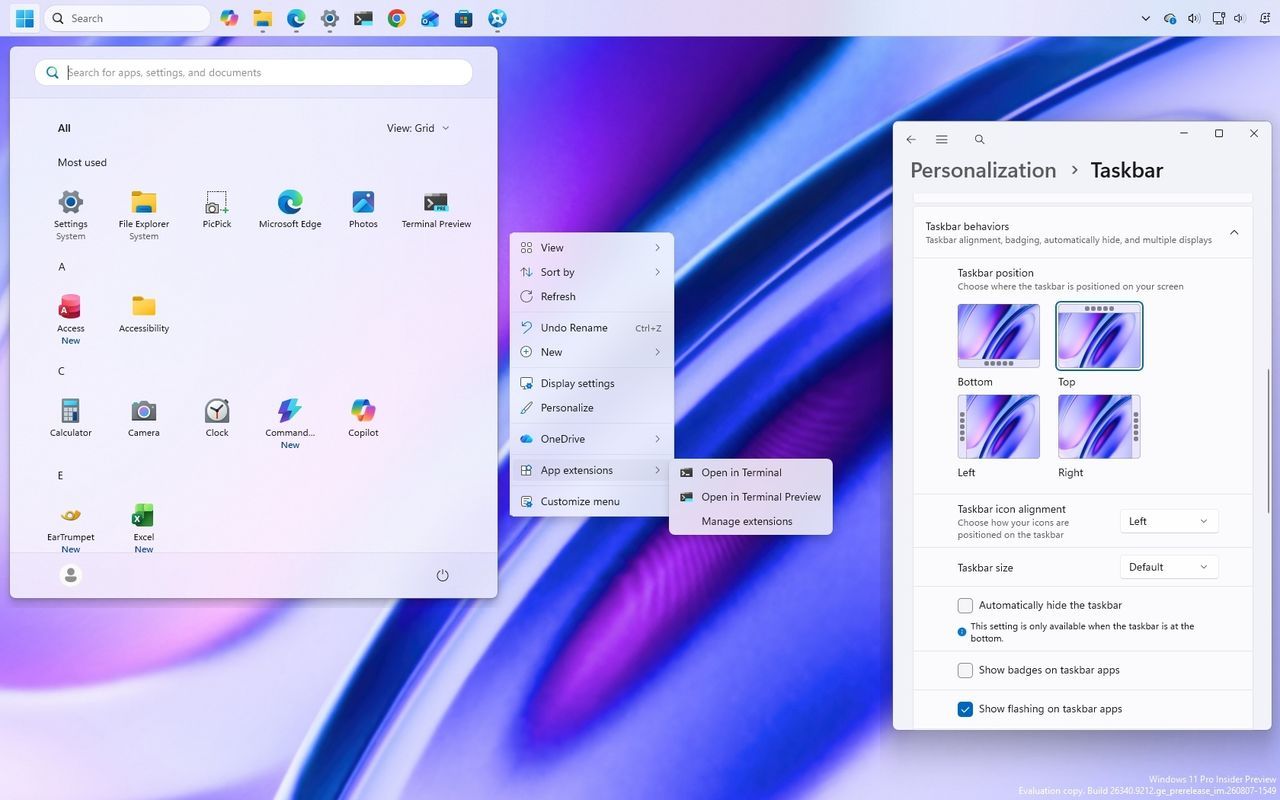
It turns out the grand experiment of Windows 11 isn’t just about aesthetics; it’s about restoring freedom. What many users have been craving is a shift from a highly controlled experience to one where they feel genuinely in command of their operating system.
For years, the focus of the redesign seemed to be on simplification—making the desktop cleaner, menus tighter, and complexity minimized. While Microsoft aimed for a streamlined, modern interface, this pursuit of simplicity inadvertently created a problem: it stripped away the choices users relied on to make the system truly personalized.
The issue wasn’t the new look, but the removal of options. Whether it was the context menu, which was designed to be minimalist but forced users back to classic menus, or the Taskbar, which lost the ability to float freely, the company made decisions based on a preferred workflow rather than accommodating the diverse ways people actually use a computer.
This led to an experience that, despite its sleek design, felt surprisingly restrictive. The goal of making the operating system easier to use out of the box sometimes meant forcing everyone into a single path, which ultimately made Windows 11 feel less flexible than its predecessors.
But now, Microsoft is listening. Through ongoing initiatives focused on performance and reliability, the company is slowly giving users back the control they relinquished. The recent updates to the context menu are a prime example of this shift. Instead of just making things faster, Microsoft is now allowing users to customize which actions appear, manage app entries separately, and even choose how commands are displayed.
This move reflects a crucial understanding: there is no single correct way to use an operating system. Some users thrive on a clean, uncluttered desktop, while others need the freedom to position their Taskbar wherever they need it, and power users require dozens of accessible options in their context menu.
By restoring features like movable and resizable Taskbar options and giving users granular control over menus, Microsoft is demonstrating that modernization doesn’t have to mean simplification. It can be about improving the experience while retaining the functionality that makes the system truly powerful and accommodating.
The real takeaway is that the operating system should be easy to use by default, but it must always offer the flexibility to customize it. Moving forward, the focus should be on building an interface that is both modern and adaptable, ensuring that every user, regardless of their preferred workflow, feels empowered, not restricted.
Buy on Amazon
Credit
