Windows 11 August Patch: The biggest changes explained
The Quiet Revolution: How Windows 11 is Getting Sharper in August 2026
As we approach the next major update, Microsoft is not just dropping security patches; they are quietly rolling out a series of thoughtful refinements designed to make the everyday experience of Windows 11 significantly smoother, more personal, and ultimately, more controllable. Scheduled for release on Tuesday, August 11, 2026, this quality update is less about flashy headlines and more about meticulous polishing—addressing long-standing user desires for greater control over AI features, input methods, and system aesthetics.
One of the most talked-about elements in this release addresses some major user frustrations. Microsoft is finally granting users the ability to uninstall image generation AI models from their Copilot+ PCs via Settings > System > AI Components. This move acknowledges that while AI integration is exciting, users deserve more control over which components are active on their system, offering a modest but important step toward giving users the master switch they have been asking for.
Beyond the AI controls, the update makes significant strides in how we interact with the operating system. File Explorer receives thoughtful enhancements, including displaying file sizes in readable units like KB, MB, and GB instead of overwhelming kilobytes, and introducing a handy middle-click option to quickly open folders in new tabs. Even the Windows Search function is getting smarter, improving recognition of typos and allowing users to initiate searches with quick two-character queries.
The tactile experience on the computer is also being fine-tuned. Touchpad gestures are now highly customizable; users can adjust the speed for scrolling and zooming, and a new option allows for accelerated scrolling when gestures are repeated. This personalized control means you can finally tailor your input methods to your exact needs.
Voice functionality also sees a major overhaul. Microsoft is refining Voice Access by introducing Voice Isolation, which effectively filters out background noise and nearby conversations to deliver cleaner speech recognition. Users gain granular control through three new speech recognition settings in the system settings, including a convenient “Remove background noise only” mode for quiet work and a “No filtering” mode for raw microphone input.
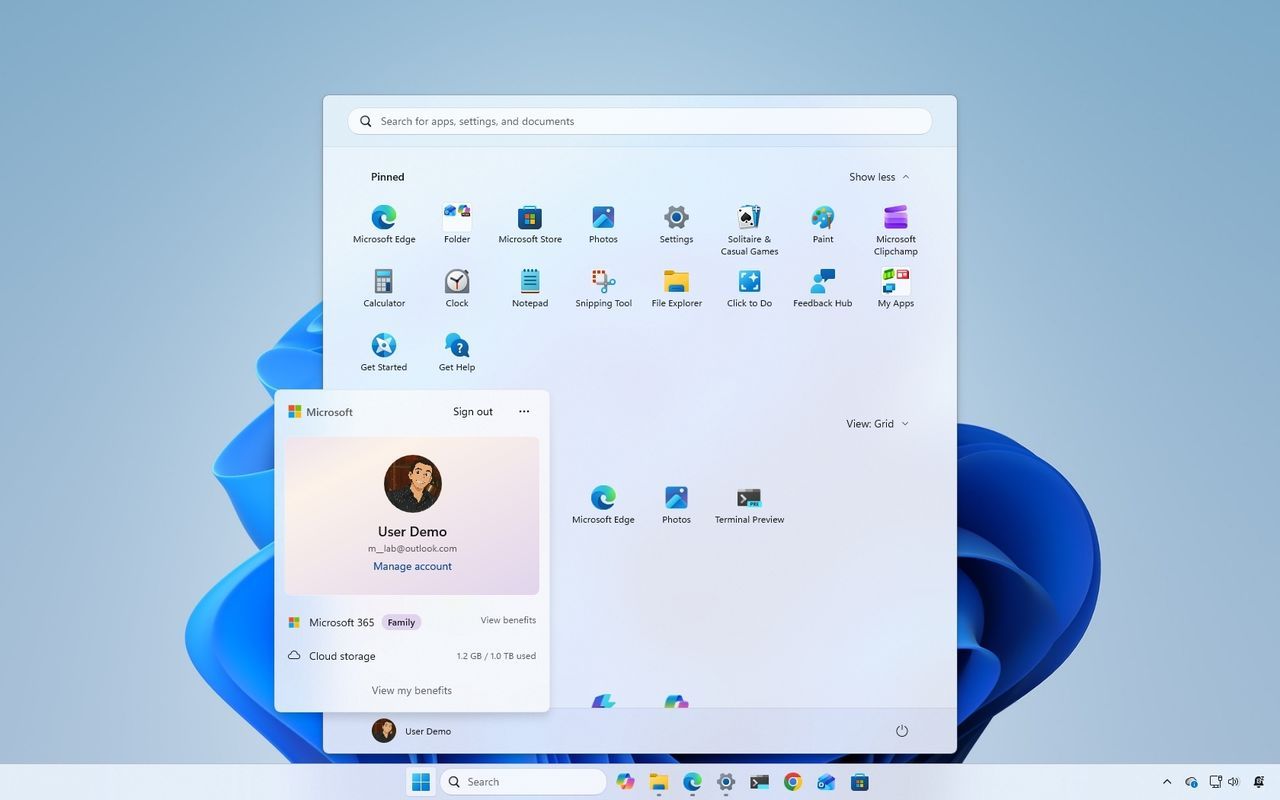
For those who enjoy the visual experience of Windows 11, the interface is also getting a refresh. The Account Control flyout in the Start menu has been redesigned to look more modern and clearer, offering instant access to plan benefits and storage usage from services like OneDrive. Similarly, Widgets on the lock screen will become less distracting by default, focusing only on essential information like the weather, while notification badges in the Taskbar now use the accent color instead of the older red indicator.
Finally, even core system functions are being streamlined. Microsoft is improving the Windows Update process to provide more accurate progress estimates and refining the cleanup routine post-update for better overall system performance. These cumulative improvements—from refined file navigation to smarter voice commands—demonstrate a commitment not just to pushing new features, but to continually refining the foundation of the operating system into something truly exceptional.
Buy on Amazon
Credit
