
Reddit found 2 AirDrop alternatives for Windows 11
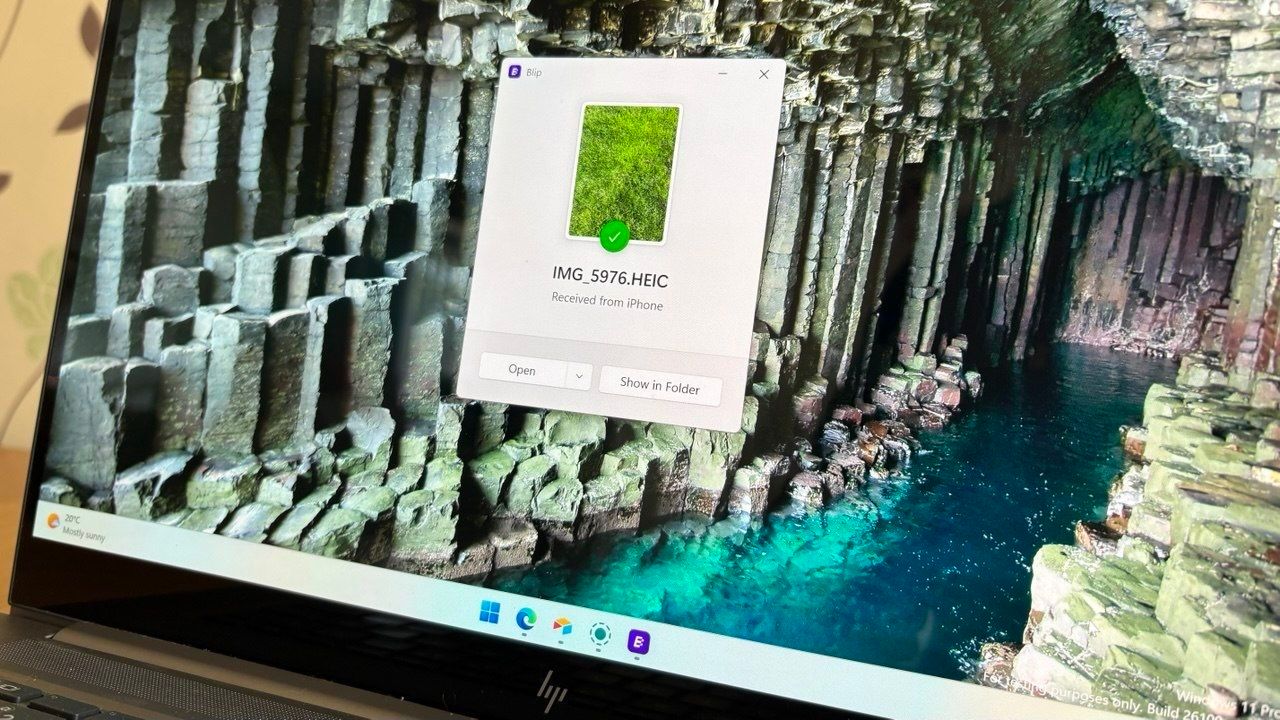
Like millions of tech enthusiasts, there’s a shared yearning for seamless connectivity across devices. While platforms like Apple offer tightly integrated experiences, many users running Windows 11 find themselves wishing for that same effortless file transfer experience—something akin to AirDrop—when bridging the gap between an iPhone and a PC.
For those seeking robust alternatives, the digital landscape offers several promising solutions. When users started hunting for ways to efficiently move files between their iOS and Windows setups, two names consistently emerged as the top recommendations: Blip and LocalSend. These apps offer distinct approaches to file sharing, catering to different user priorities, whether that means speed, privacy, or local network functionality.
Blip stands out as a powerful contender, prioritizing speed and flexibility. If you need to move large files quickly, Blip excels, especially when devices are on different networks. It offers an intuitive interface that feels familiar yet breaks free from platform exclusivity. Furthermore, Blip removes typical file restrictions; it supports sending files and folders without size limits, making transferring those massive photo files or large project folders incredibly simple. For non-commercial users, the service is free, though a paid subscription is available for business users who demand priority speeds.
On the other side of the spectrum is LocalSend, which appeals strongly to users focused on privacy and local networking. This solution works by utilizing your existing network, meaning it operates offline and doesn’t require an internet connection during the transfer. Because it relies on peer-to-peer sharing, LocalSend is inherently fast and provides a truly private channel for file exchange, making it a fantastic choice for those who value security. It requires no accounts or logins, offering a completely open-source experience.
While both Blip and LocalSend master the art of on-demand transfer, syncing entire folders and backing up content requires a different strategy. For managing large archives, integrated services like OneDrive and iCloud remain the go-to options. While these tools might not match the instantaneous speed of peer-to-peer apps for sending single files, they provide reliable, secure storage and synchronization for long-term content management.
Ultimately, the choice between these tools depends entirely on your workflow. If your primary goal is rapid, wide-area transfer without worrying about network barriers, Blip is likely your answer. If privacy and operating within a local network environment are paramount, LocalSend offers an exceptional, secure experience. Whether you choose to prioritize speed or security, the alternatives available ensure that bridging the gap between your mobile and desktop files is never a headache.
Credit

