
Testing Phone Link in Windows 11 who actually uses it
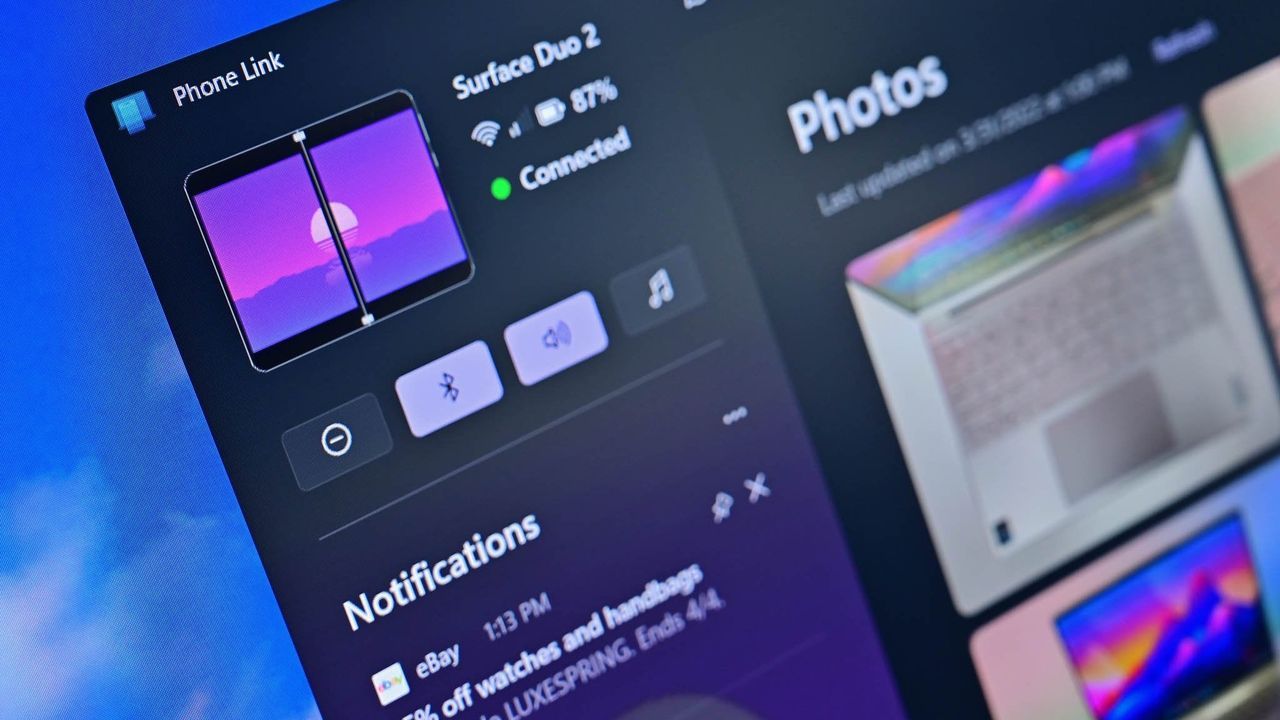
Windows Insiders Drop New Tools: Sharper Search and Smarter Phone Link
The Windows Insider community is constantly buzzing with new developments, and the latest preview build brings some genuinely useful enhancements, particularly in how we interact with our operating system. This recent update focuses on making familiar tasks smarter—from finding files instantly to keeping a closer connection with our mobile devices.
One of the most noticeable improvements lies in the revamped Windows Search experience. Users now have much more control over how the search operates. It’s no longer a simple, monolithic function; instead, you can customize integration with your personal Microsoft account or work/school accounts, and crucially, decide whether Search indexes your cloud storage like OneDrive or leaves it untouched. Furthermore, an automatic indexing feature that learns from your activity is now available, giving you the power to enable or disable it via a simple toggle in the settings.
The connection between our PCs and smartphones, managed through Phone Link, is also receiving significant upgrades. While the overall rollout is gradual for Insiders on the Experimental channel, the underlying potential is huge. The latest build introduces ways to get immediate context. Now, when you hover over a recent message or notification in the Start menu’s Recent section, you can preview the content directly. This eliminates the need to constantly pull out your phone just to check what’s new.
Microsoft is clearly laying the groundwork for Phone Link to become even more integrated and powerful. Behind the scenes, there are ambitious plans for deeper integration, including the potential for Phone Link to merge directly with the Windows shell rather than remaining a separate application. This exploration suggests a future where connecting your phone and PC feels less like juggling apps and more like a seamless extension of your desktop experience.
Beyond these major updates, the build also tackles numerous under-the-hood stability issues that improve overall device reliability. Fixes have been rolled out for frustrating bugs, including resolving crashes that used to plague the Start menu when dragging applications, smoothing out File Explorer performance when handling files on disconnected network drives, and addressing complications related to automatic backups in File History.
Even system-level functionality has received subtle but impactful tweaks. The adaptive hibernate policy now works smarter with your battery life, minimizing hibernation when the power is high and ensuring a quicker standby mode when the battery dips low. These incremental changes ensure that as Windows evolves, it remains fast, stable, and intuitive for every user.
These Insider previews demonstrate Microsoft’s ongoing commitment to refining the core experience, focusing on making powerful tools accessible, intelligent, and easier to use every single day.
Buy on Amazon
Credit

